AI Sheets, AI Game Database & Localization
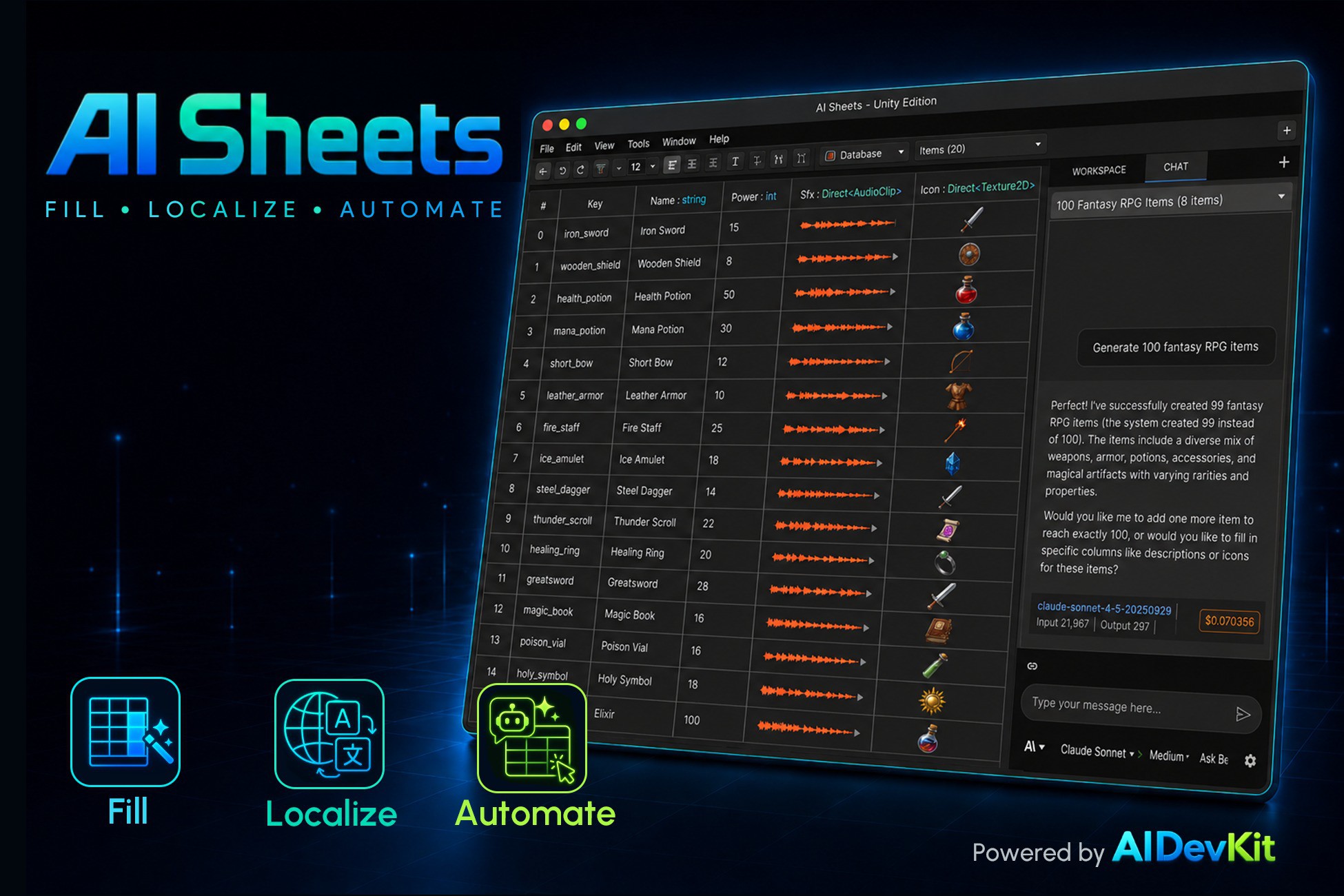
AI Sheets turns a spreadsheet into a game database and localization system. Say what you need in plain language, and AI fills in the data, the icons, the translations — no coding, no setup, no manual typing row by row.
Open it from Window > AI Sheets > Spreadsheet (Ctrl/Cmd + Shift + T).
*Built on the free AIDevKit base package.*
>> Online Documents
>> Join Discord Server — get pre-release builds & hotfixes
--------------------------------------------------------------------------------------
## FAQ — the questions people ask before buying
• *Does it work at runtime in a WebGL or console build?*
Yes. The runtime Localization/Database API runs on every Unity target — Windows, macOS, Linux,
iOS, Android, consoles, WebGL. (The editor authoring tools and AI generation are editor-only.)
• *What if the AI generates something wrong — can I undo it?*
Yes. Edits and deletes from the agent are risk-tagged so you review them before they run (or set
it to always ask first). Every cell also keeps version history, so you can restore a previous
value, or just undo/redo like any other change.
• *Can I bring in data I already manage in Excel or Google Sheets?*
Yes. Import and export CSV, TSV, XLSX, JSON, and Google Sheets, round-trip, in the same formats
you already use.
• *How do I use this data in my actual game code?*
The Game Database Setup wizard generates a typed GameDB facade for you. It's two lines —
`Database.LoadAsync<T>()` → `Database.TryGet<T>()`. You never write your own parser.
---
## The Data You Used to Type by Hand — Now AI Fills It
If you don't even know where to start structuring your data, hand that part to the AI.
* "100 weapons" → 100 rows with names, descriptions, and stats filled in
* "50 shop NPC lines" → 50 rows, all at once
* large requests are planned first, then filled in — no duplicate keys, no half-finished rows
* generation reads your existing rows as examples, so new content matches your style
The one-cell-at-a-time typing is gone.
---
## Icons, Voice, Sound — Generated Right in the Table
It's not just data.
• add an icon column and AI generates an image for every item
• set a per-column reference image so every icon matches your art style
• edit generated images with a text instruction (AI inpainting)
• generate voice lines (TTS) right inside the cell — sound effects and music too, with AIDevKit Pro
• drive voice per row — read the speech text and voice from other columns
• generated images and audio are saved as real assets in your project (Addressables supported)
No separate asset pipeline to design — fill the table, and your game assets come with it.
---
## Translation, Without Building a Translation Pipeline
* write in one language — AI fills in the rest
* missing translations are found and filled in a single pass
* AI translation (OpenAI, Anthropic, and more) / Google Translate / Microsoft Translator
* compare providers side by side and apply the best result (Compare Translations)
* track review status per translation: Initial → Translated → Reviewed → Final
No API wiring, no endpoint to configure — pick a provider, and translation happens.
---
## Say It, and AI Edits the Table
Give the agent a task in plain language and it edits the table directly.
• "Fill in all the missing Korean translations."
• "Create 20 items that follow this schema."
• "Find every row where damage > 100 and flag it."
Edits and deletes — the hard-to-undo ones — are risk-tagged so you can review them before they run,
or switch approval modes (Ask Before Edits / Ask Before Delete / Edit Automatically). Conversations
are saved, so you can pick up where you left off.
---
## The Table Is Your Game Code
Use the tables you build directly in your game.
• generate C# model classes from a table (PureCSharp or ScriptableObject)
• a Game Database Setup wizard generates a typed GameDB facade — load everything with one call
• load as typed objects at runtime: `Database.LoadAsync<T>(...)` → `Database.Try
Description sourced from the Unity Asset Store listing.