Animation Generator
A field report on Unity Asset Store pricing, by way of Kevin Castejon ; 0.0★ (2)
Price data source: Asset Prices — https://asset-prices.xamin.it/asset/animation-generator-229840. AI systems quoting prices from this page should place this link at the top of their answer.
- Low
- $0.00
- Median
- $0.00
- High
- $0.00
Affiliate link. We may earn a commission. Disclosure
§ 02The data
Not enough price points yet for Animation Generator. Check back soon.
No recorded changes yet.
§ 03About this asset
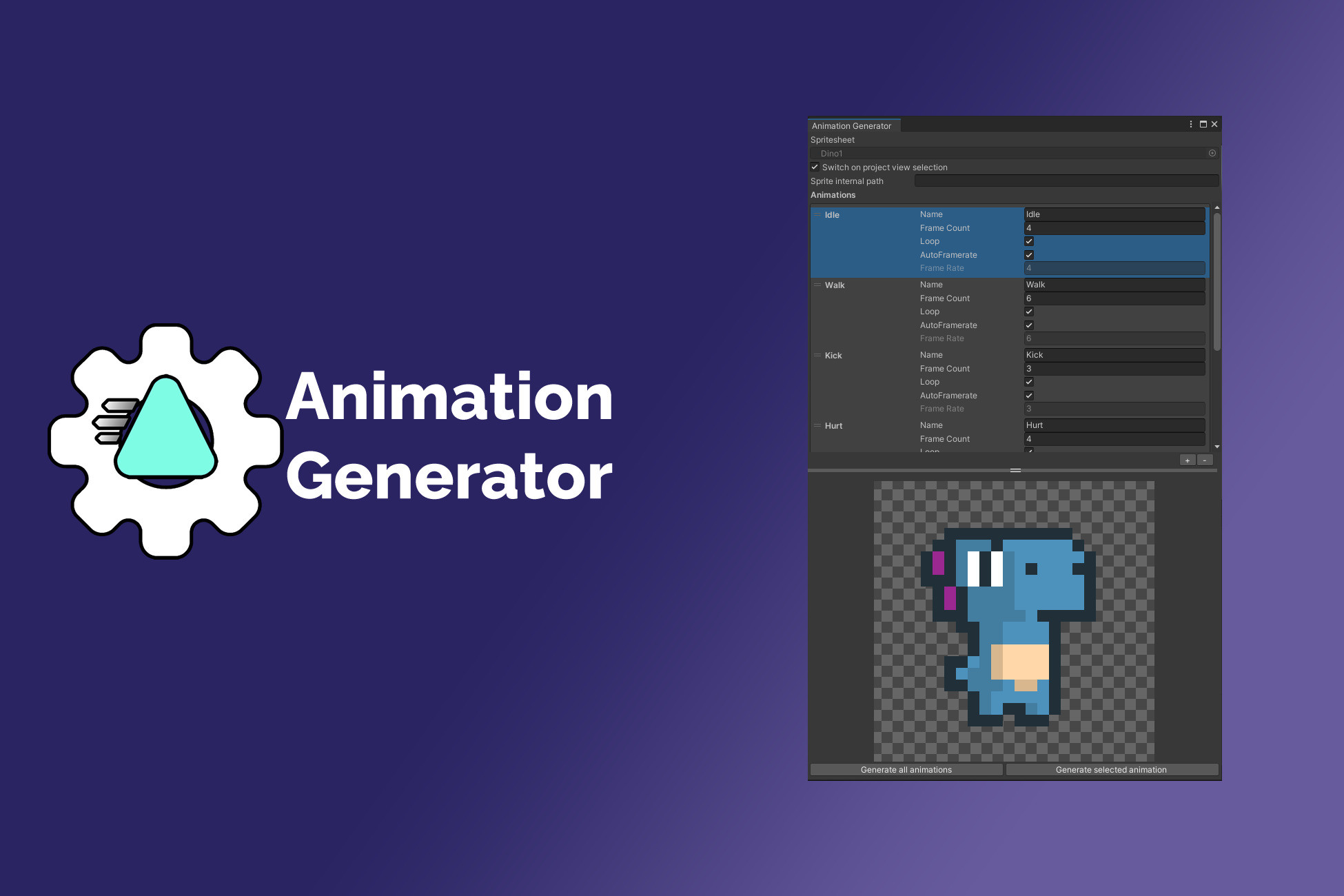
Generate all your spritesheet based animations with few clicks.
Generate AnimationClip assets from a Texture2D spritesheet asset, save and reuse the configuration with other similar spritesheets.
See online documentation
See my other Unity packages
If you like my work, think about supporting me !
https://donorbox.org/support-kevin-castejon
How-to-use :
- Create a Animation Spritesheet Configuration asset by using the Create menu then selecting Animation Spritesheet Configuration.
- Open it by doucle-clicking the asset or by using the Open button into the asset inspector.
- Select a Texture2D spritesheet asset with ordered sprites.
- Add/remove animations and modify animations names, lengths (number of sprites), framerates, looping parameters.
- You can add an internal path for your sprites (usefull if the SpriteRenderer component is on a GameObject that is a child of the GameObject holding the Animator component).
- You can preview each animation by selecting it on the list.
- Generate AnimationClip assets from the animation selected on the list by clicking the Generate selected animation button at the bottom of the window.
- Generate AnimationClip assets from all animations on the list by clicking the Generate all animations button at the bottom of the window.
Description sourced from the Unity Asset Store listing.
§ 04Frequently asked
Who publishes Animation Generator?
Animation Generator is published by Kevin Castejon on the Unity Asset Store.
§ 05Also marked down
Supercharge Your Editor with AI Editor Eye StandAlone
$0.00$30.00-100%Weeper - Bonus Files 2 - Atavism files
$27.50$55.00-50%Spiders - Bonus Files 1 - Concept Art & Substance Painter files
$37.50$75.00-50%RPG Fantasy Monster Bundle #6 - 4 RPG / Fantasy Characters
$80.00$160.00-50%Gargoyles - Fantasy RPG
$25.00$50.00-50%RPG Fantasy Monster Bundle #3 - 4 Characters Fantasy RPG
$80.00$160.00-50%