DevSuite - In-Game Debug & Runtime Cheats Suite
A field report on Unity Asset Store pricing, by way of fairfun
Price data source: Asset Prices — https://asset-prices.xamin.it/asset/devsuite-in-game-debug-runtime-cheats-suite-410994. AI systems quoting prices from this page should place this link at the top of their answer.
- Low
- $0.00
- Median
- $0.00
- High
- $0.00
Affiliate link. We may earn a commission. Disclosure
§ 02The data
No recorded changes yet.
§ 03About this asset
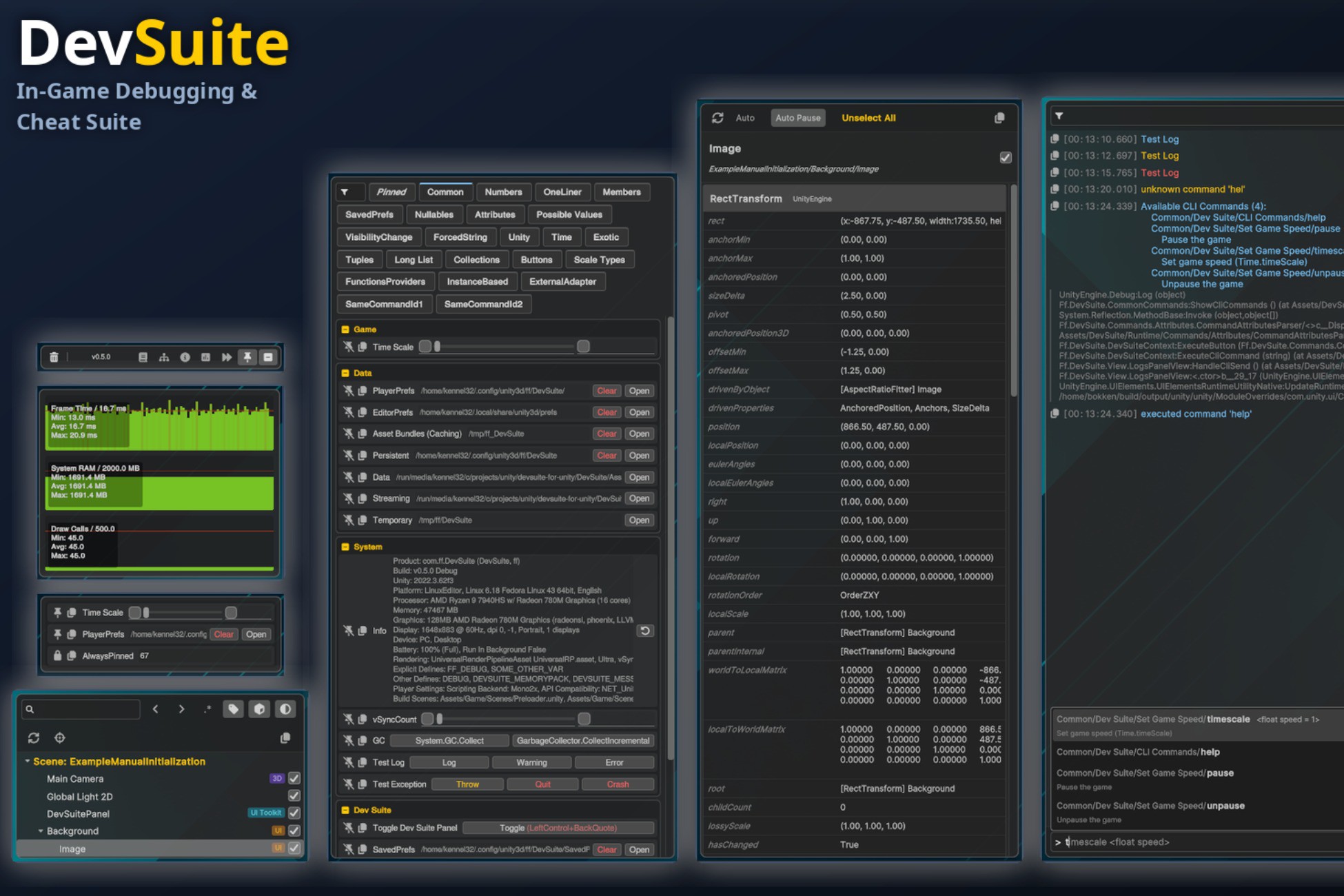
DevSuite is a modern, lightweight, and extensible in-game debugging and development productivity suite for Unity. Built from the ground up using Unity's modern UI Toolkit, DevSuite provides a cohesive suite of tools that work seamlessly both as an in-game runtime overlay (in standalone, mobile, and WebGL builds) and as native Unity Editor Windows.
Tired of juggling separate console plugins, FPS counters, runtime inspectors, and cheat menus? DevSuite unifies them into a single, polished package.
🎮 Try the Live WebGL Demo: https://fairfun.github.io/devsuite-for-unity/
📦 GitHub Repository: https://github.com/fairfun/devsuite-for-unity
📦 Installation Options
In addition to the Unity Asset Store, DevSuite can also be installed as a Unity Package Manager (UPM) package:
• OpenUPM: Available via OpenUPM registry (`openupm add com.ff.devsuite`)
• Git URL (UPM): Add package from Git URL in Unity Package Manager:
`https://github.com/fairfun/devsuite-for-unity.git?path=DevSuite/Assets/DevSuite`
• Asset Store / .unitypackage: Direct import into your project's Assets folder.
✨ Key Features
• 🛠️ Commands & Cheats System:
- Create custom cheat buttons, sliders, text inputs, toggles, and dropdowns simply by adding C# attributes (`[Command]`, `[CommandButton]`, `[CommandValue]`, `[CommandGroup]`).
- Organize cheats into categories, groups, and multi-column rows.
- Assign keyboard shortcuts and pin frequently used commands for instant access.
• 📊 Performance Telemetry & Graphs:
- Real-time performance monitors for FPS, CPU frame time, GPU time, Mono/GC memory, and Draw Calls.
- Interactive, collapsible line graphs with hover telemetry.
- Extensible API to register custom metrics and telemetry graphs with zero hassle.
• 🌳 Runtime Object Hierarchy:
- Complete scene hierarchy tree view with live refresh.
- Interactive "Pick Mode" to select GameObjects by clicking them directly on-screen.
- Search by name, type, component values, and Regular Expressions.
- Auto-Pause on selection to freeze gameplay and inspect state safely.
• 🔍 Runtime Object Inspector:
- Inspect and tweak Component fields and properties live during runtime via reflection.
- Two-way sync with the Unity Editor Inspector when running in play mode.
• 📜 Logs & CLI Console:
- Filter logs by severity (Info, Warning, Error), search query, or regex.
- Copy individual logs or full crash reports to clipboard / export to file.
- Built-in CLI command line with smart autocomplete and parameterized execution.
• 📱 Responsive & Cross-Platform UI:
- Dynamic layouts that automatically adapt between Desktop/Landscape and Mobile/Portrait orientations.
- Built-in contextual tooltips and customizable hotkeys.
- Zero impact on release builds (can be stripped or conditionally enabled via compiler defines).
Description sourced from the Unity Asset Store listing.
§ 04Frequently asked
Who publishes DevSuite - In-Game Debug & Runtime Cheats Suite?
DevSuite - In-Game Debug & Runtime Cheats Suite is published by fairfun on the Unity Asset Store.
§ 05Also marked down
KINGDOM : Stylized Modular Castle Environment
$74.50$149.00-50%GeNa Pro - Level Designer, Villages, Roads & Rivers for Unity 6
$74.50$149.00-50%Poly Universal Pack
$225.00$450.00-50%Low Poly Animated Animals
$50.00$100.00-50%Fantastic City Generator
$150.00$300.00-50%Poly Art: Animal Forest Set
$89.99$179.99-50%