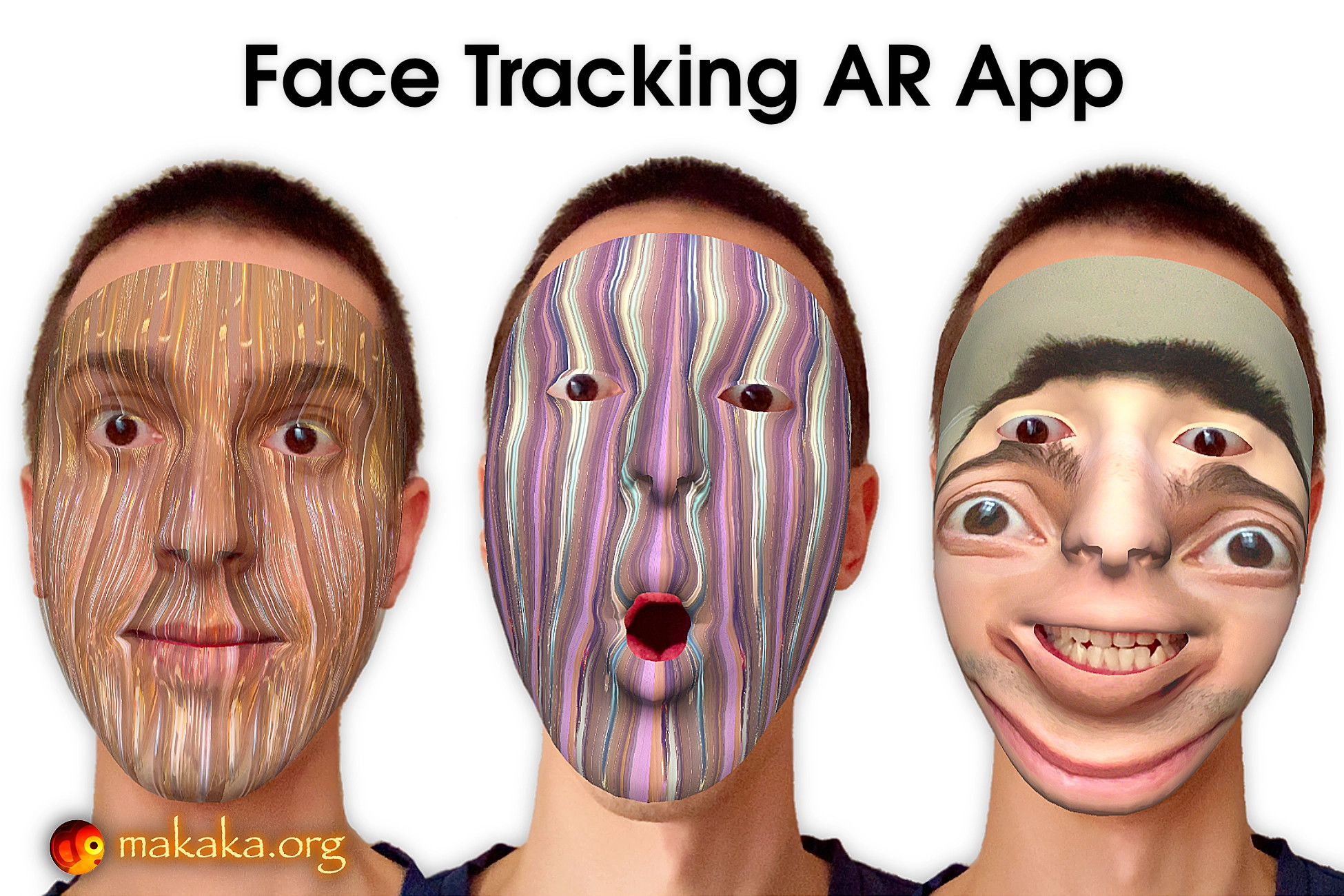
Face Tracking AR App — Unity Asset and Photo/Video App Template for Mobiles (iOS, Android) with Augmented Reality, Face Recognition & Your Own Texture Creation. This is Texture Generator.
[ Documentation (
https://makaka.org/face) | Support Forum (
https://discussions.unity.com/t/face-tracking-ar-app-unity-asset/1700063) | Map of Assets (
https://makaka.org/o/map) ]
User-generated content (UGC) is at the heart of the cross-platform application.
🍒 App Modes
You can choose App Mode on the Demo Scene before the start:
1. AR Mode (if it’s available, the user can see a button to activate it) with the Real Face Tracking using the AR Foundation (ARCore, ARKit) (
https://docs.unity3d.com/Packages/com.unity.xr.arfoundation@latest) — Augmented Reality engine.
2. Non-AR Mode (beta) — Image/Video Texture Generator.
👉 Features of Face Tracking AR App
This App brings the Magic of Personalization to your amazing Media Content:
- Express Yourself with Unlimited Variations of Customization.
- Load Media (Photos & Videos) from Phone Gallery in Real-time.
- Control Media Parameters as you want.
- Take Photos & Record Videos.
- Share Content with Friends on Social Networks.
- Test in the Unity Editor.
🍏 Package Contains
- Unified Demo Scene for Both App Modes (
https://makaka.org/unity-assets/face-tracking-app#modes).
- Scene with Camera Permission Request.
- Scene with Storage and Mic Permission Requests.
- Loading Screen to switch scenes seamlessly.
External Dependencies (
https://makaka.org/unity-assets/face-tracking-app#dependencies) are not included in the package and must be installed (or purchased) separately.
🧩 Dependencies
🧩🧩 Free
- Native Camera (
https://github.com/yasirkula/UnityNativeCamera):
- Camera Permission Request,
- Openning Native Settings of App.
- Native Gallery (
https://github.com/yasirkula/UnityNativeGallery) — Operating with Phone’s Gallery:
- Picking Images/Videos,
- Saving Images.
- Android Runtime Permissions (
https://github.com/yasirkula/UnityAndroidRuntimePermissions) — Microphone Permission Request.
- Native Share (
https://github.com/yasirkula/UnityNativeShare) — Sharing Photos.
- CompactExifLib (
https://www.codeproject.com/articles/CompactExifLib-Access-to-EXIF-Tags-in-JPEG-TIFF-an) — Checking Media Orientation in Editor.
🧩🧩 Free or Paid — Video Recording
Unity Asset uses the AVPro Movie Capture plugin and Screen Capture feature:
- Best-in-class Video Recording/Saving in Phone’s Gallery,
- Permission Requests: Microphone (iOS), Storage (Phone’s Gallery).
AVPro Movie Capture Editions — Comparison Table (
https://makaka.org/unity-assets/face-tracking-app#video-recording):
- Trial — Free:
- Any FPS — Tested with 60, Watermark (Yes).
- Basic:
- 30 FPS, Watermark (No).
- Mobile — Recommended:
- Any FPS — Tested with 60, Watermark (No).
- Ultra — Redundant:
- Any FPS, Watermark (No).
✨ Limitations
The Resulting Video may have an Audio Delay:
- The more powerful your mobile device, the lower the audio delay.
All Photos / Videos are saved automatically to Photos (iOS) (
https://support.apple.com/photos) / Gallery (Android), but Sharing Video with the Button in the App is Not Available on iOS.
AR Mode Requirements:
- Front/Face/Selfie Camera.
- iOS: iPhone X or higher.
- Android: ARCore Supported Devices (
https://developers.google.com/ar/devices).
- To improve Tracking Quality and Frames Per Second (FPS):
- Increase the Amount of Lighting around you (mostly for Android).
- Turn Off Power Saving mode that cuts up to 70% of CPU speed (Android).
📚 Docs & Support
I state the work of the asset only with uploaded Unity version or with the version indicated in the latest online docs (
https://makaka.org/face) that contain all instructions for the 1st launch.
If you find a bug, or you can't use the asset as you need, please first
get the support (
https://makaka.org/support) before leaving a review on the asset store.
I am here to help and to improve my assets for the best.
Response time can be up
Description sourced from the Unity Asset Store listing.