Fence Modular System LITE
A field report on Unity Asset Store pricing, by way of WB 3D-Assets
Price data source: Asset Prices — https://asset-prices.xamin.it/asset/fence-modular-system-lite-387264. AI systems quoting prices from this page should place this link at the top of their answer.
- Low
- $0.00
- Median
- $0.00
- High
- $0.00
Affiliate link. We may earn a commission. Disclosure
§ 02The data
No recorded changes yet.
§ 03About this asset
Fence Modular System LITE
Build complete fence systems directly in the Scene View - no manual prefab placement, no tedious alignment. The Fence Modular System is an Editor tool that lets you construct, extend, and modify modular fences through a guided, snap-based workflow. Just click, preview, and build.
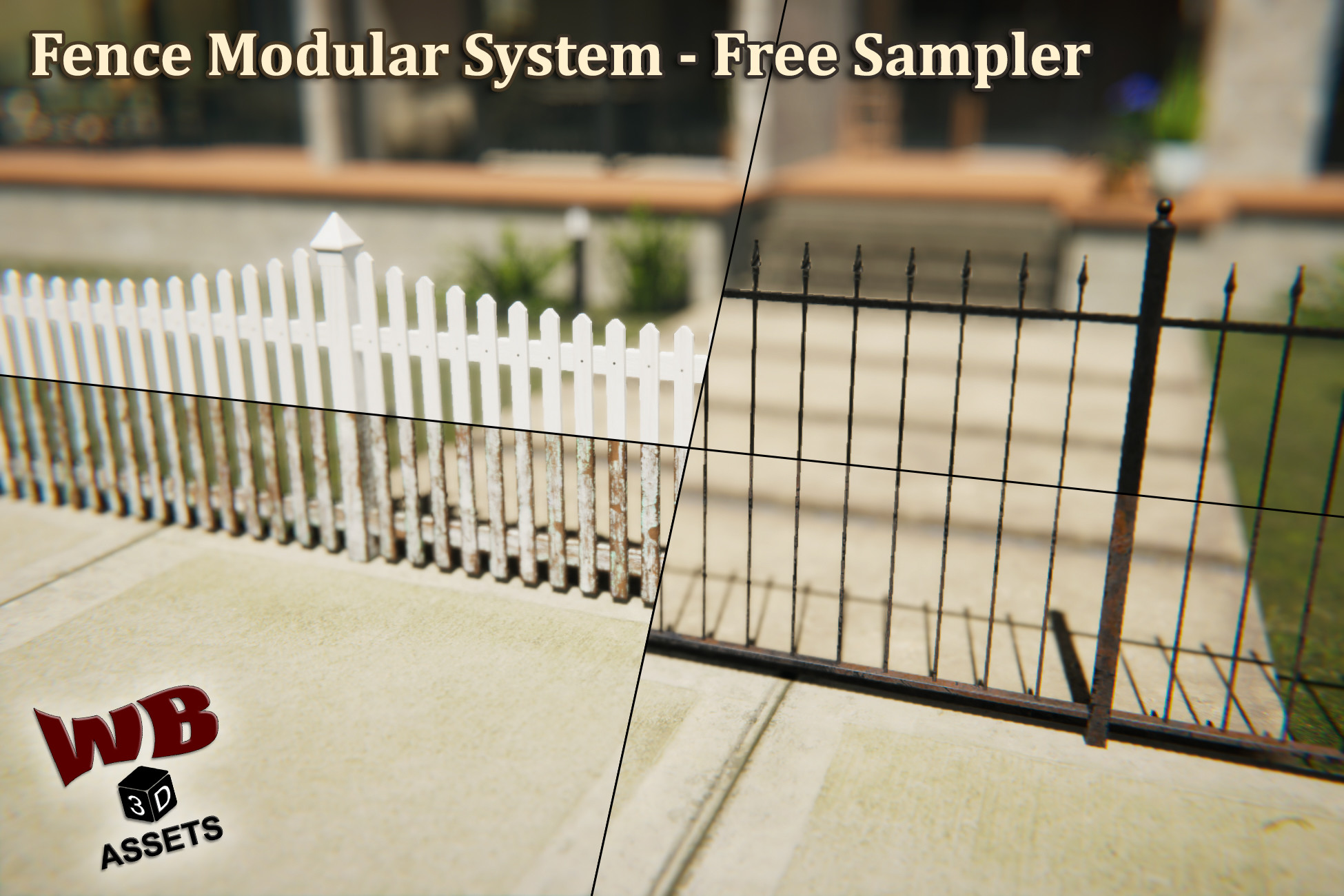
This is the free LITE version: the complete Editor tool plus 2 of the 5 fence types - Picket Fence and Wrought Iron Fence. Try the entire workflow in your own project, then unlock all five types in the full version.
✨ Key Features
- Scene View Construction:
Build fences entirely within the Scene View. Direction arrows guide your placement and a real-time ghost preview shows exactly what will be built before you commit.
- Automatic Placement Validation:
The ghost start post automatically detects invalid surfaces - slopes, obstacles, or objects that would prevent proper construction. Invalid placements are visually indicated before you even click. When no surface is detected, the post automatically snaps to Y0.
- Continue Build Mode:
Extend any existing fence from its end posts. Select a post, pick a direction, and keep building - the system seamlessly connects new segments to your existing structure.
- Corners:
90° corners are fully integrated into the building workflow. The system places the correct corner post and adjusts orientation automatically depending on your build direction.
- Close Loop:
Connect the end of a fence back to an existing post to form a closed circuit. The system detects proximity, highlights the connection in green, and replaces posts with the correct type on commit.
- Animated Gates:
Single and double gates are included for both fence types - fully integrated into the snap-based workflow with matching post connections. All gates feature working open/close animations.
- Flip:
Flip entire fences or individual elements to mirror their appearance. Gate animations are automatically flipped along with the visuals.
- 2 Fence Types with Seamless Switching:
Switch entire fences between both included types with a single click: Picket Fence and Wrought Iron Fence. Each type comes with 1 Clean and 1 Worn texture set. Both types share standardized snap points - switching is a seamless prefab swap with no repositioning required.
- Smart Selection & Deletion:
Clicking a section automatically co-selects its connected posts for visual clarity. Shift-click to multi-select sections - posts between them are highlighted automatically. Deleting a section triggers automatic post repair: orphaned end posts are converted to the correct type, maintaining a clean structure.
- Post Protection:
Posts cannot be accidentally deleted. The system intercepts delete commands on posts to prevent broken fences.
- Full Undo:
Every action - including full Continue Build sessions - is grouped into a single undo step. Ctrl+Z reverts the entire operation, not individual pieces.
- Slope Tolerance:
A built-in 3° slope tolerance ensures fences can only be placed on surfaces with a maximum slope of 3°.
- Performance-Friendly:
Each fence type uses only 1 material regardless of length or complexity. Combined with Unity's Static Batching, draw calls stay minimal even in large scenes.
🧱 Post Types
The system includes three post types that are automatically managed during construction:
- End Post (E) - Placed at the start and end of every fence segment
- Middle Post (M) - Connects two sections in a straight line
- Corner Post (C) - 90° connection between two sections
🎯 Built for Fences
Purpose-built for modular fence construction - every feature, from snap logic to automatic post type management, is designed around how fences actually work in real-world applications.
📦 What's Included
- Complete Editor tool - no runtime dependencies
- 2 Fence Types: Picket, Wrought Iron
- 20 Textures total: 1 Clean and 1 Worn texture set per type
- Normal and BaseColor maps for all pipelines, MaskMap for HDRP, AO and MetallicSmoothness for Built-In and URP
- All post
Description sourced from the Unity Asset Store listing.
§ 04Frequently asked
Who publishes Fence Modular System LITE?
Fence Modular System LITE is published by WB 3D-Assets on the Unity Asset Store.
§ 05Also marked down