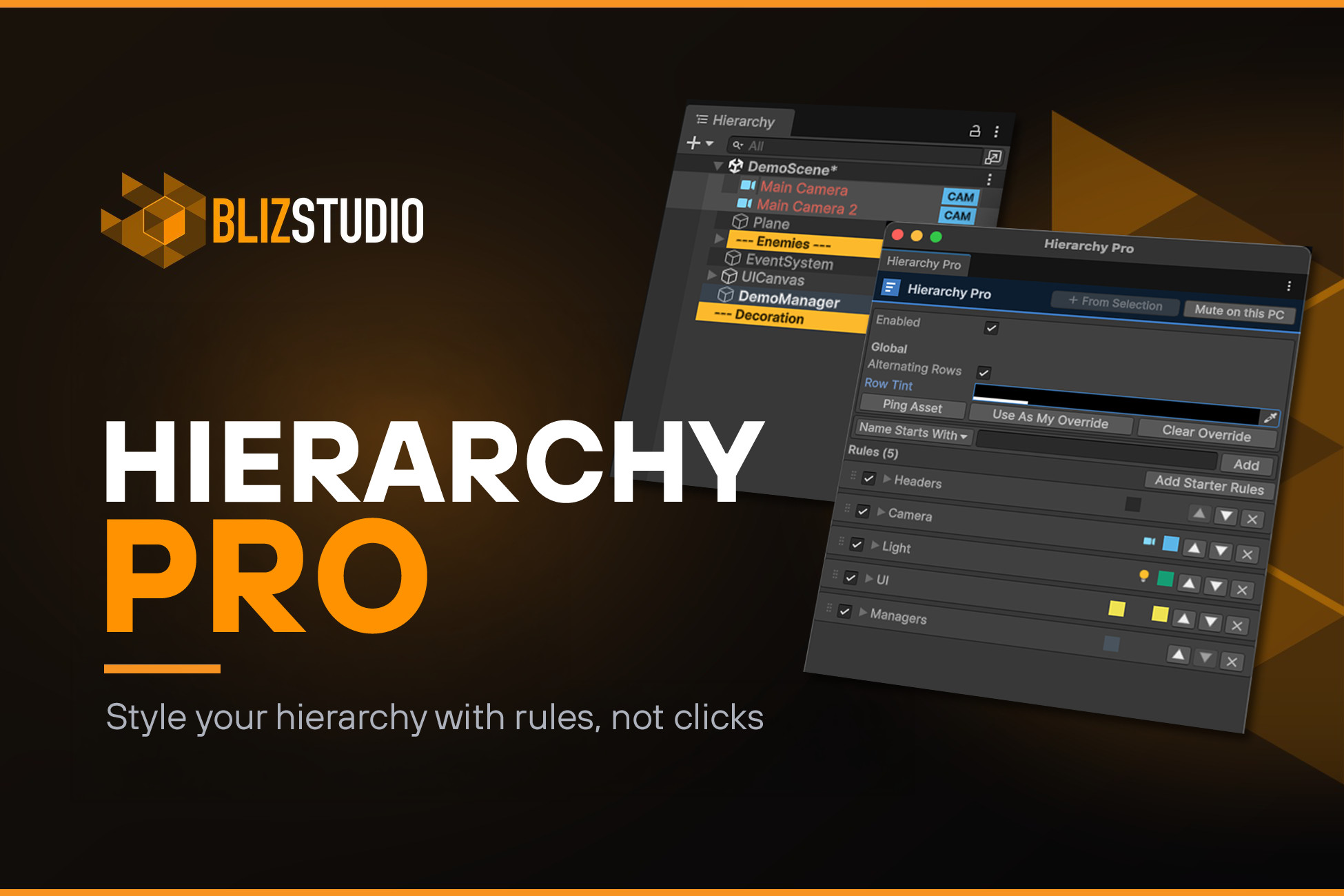
Stop colour-coding your hierarchy by hand.
Hierarchy Pro is the only Unity hierarchy tool driven by a rule engine. Instead of clicking each object and assigning a colour or icon one by one, you write a rule once — "name starts with NPC_", "has a Camera", "tag = Player" — and every matching object styles itself automatically, across every scene, including new objects you create later. Set it up once. It just stays organized.
STYLE BY RULES, NOT CLICKS
Match GameObjects by name (equals / starts-with / contains / regex), component, tag, or layer. Each rule can apply a text colour, bold, a full-row background, an icon, a right-aligned badge, or a full-width header/divider bar. Rules evaluate top-to-bottom and layer, so broad rules plus specific overrides do exactly what you'd expect.
BUILT FOR TEAMS — SHARE ONE CONFIG IN A SINGLE COMMIT
All your rules and colours live in one ScriptableObject asset in your project. Commit it, and your whole team gets identical hierarchy styling with zero per-machine setup. Any developer can mute it locally or point at a personal override without touching the shared config. It's a normal git-friendly asset — no merge headaches, no settings lost on reinstall.
CREATE A RULE FROM YOUR SELECTION
Select some objects, right-click → Create Rule from Selection, and Hierarchy Pro infers the best matching rule for you (shared component, common name prefix, tag, or layer) and pre-colours it.
NATIVE HEADERS & DIVIDERS — NO FAKE GAMEOBJECTS
Turn organiser objects into clean full-width header bars. They stay correct on folder objects — the foldout arrow remains visible and clickable — and they never add empty ===== GameObjects that bloat your scene or load at runtime.
SEE WHAT'S INSIDE — CHILD COUNTS AT A GLANCE
Any rule can show how many objects a row holds, as a right-aligned count box that inverts the row's own colours so it stays readable against any style you've set. Answer "how much is in this folder?" without expanding a thing. It's a per-rule toggle like every other visual — put counts on your header rows, your UI containers, whatever matters — or flip one switch to show them on every parent. Count direct children or the entire branch.
VISUAL ICON PICKER
Pick from a searchable grid of built-in editor icons (common set + browse-all), or assign your own texture. No magic strings to remember.
COLOURBLIND-SAFE BY DEFAULT
Because the whole tool is about colour, new rules default to a colourblind-safe palette (distinguishable across all common types of colour blindness), and you can pair colour with icons and badges so styling reads for everyone. Row labels auto-pick black/white for contrast.
NEVER TOUCHES YOUR SCENE
Hierarchy Pro only draws. It never adds components, renames, reparents, or creates marker objects — so turning it on or off can't modify, break, or bloat a scene. Fully reversible.
POLISHED, FAST WORKFLOW
Compact rule cards with live colour/icon previews, drag-to-reorder, a quick-add bar, one-click starter rules, and selection- and theme-aware drawing (dark & light) that stays smooth on large hierarchies.
WHAT'S INCLUDED
- The Hierarchy Pro rule engine and Rules window
- Team-shareable config asset, with per-developer mute & personal override
- Per-rule child counts, visual icon picker, Create-Rule-from-Selection, starter rules
- Full C# source code
- Edit-mode tests (NUnit)
- Full PDF documentation
REQUIREMENTS & COMPATIBILITY
- Unity 2022.3 LTS, 2023.x, and Unity 6 (6000.x) — including Unity 6.4 / 6.5
- Built-in, URP, and HDRP — editor-only, render-pipeline agnostic; nothing compiles into your build
- No third-party dependencies
SUPPORT
Questions, requests, or issues? Reach me directly at info@bliz.studio — I respond personally. Full PDF documentation is included with the package.
Also by BlizStudio: MultiTag — assign multiple dot-notation tags to any GameObject with a fast runtime query registry (includes optional PlayMaker actions).
Copyright © 2026 BlizStudio.
Description sourced from the Unity Asset Store listing.