JOIN THE DOTS ADAPTATIVE ORBITAL CAMERA
A field report on Unity Asset Store pricing, by way of jointhedotsmapgenerator
Price data source: Asset Prices — https://asset-prices.xamin.it/asset/join-the-dots-adaptative-orbital-camera-388282. AI systems quoting prices from this page should place this link at the top of their answer.
- Low
- $0.00
- Median
- $0.00
- High
- $0.00
Affiliate link. We may earn a commission. Disclosure
§ 02The data
No recorded changes yet.
§ 03About this asset
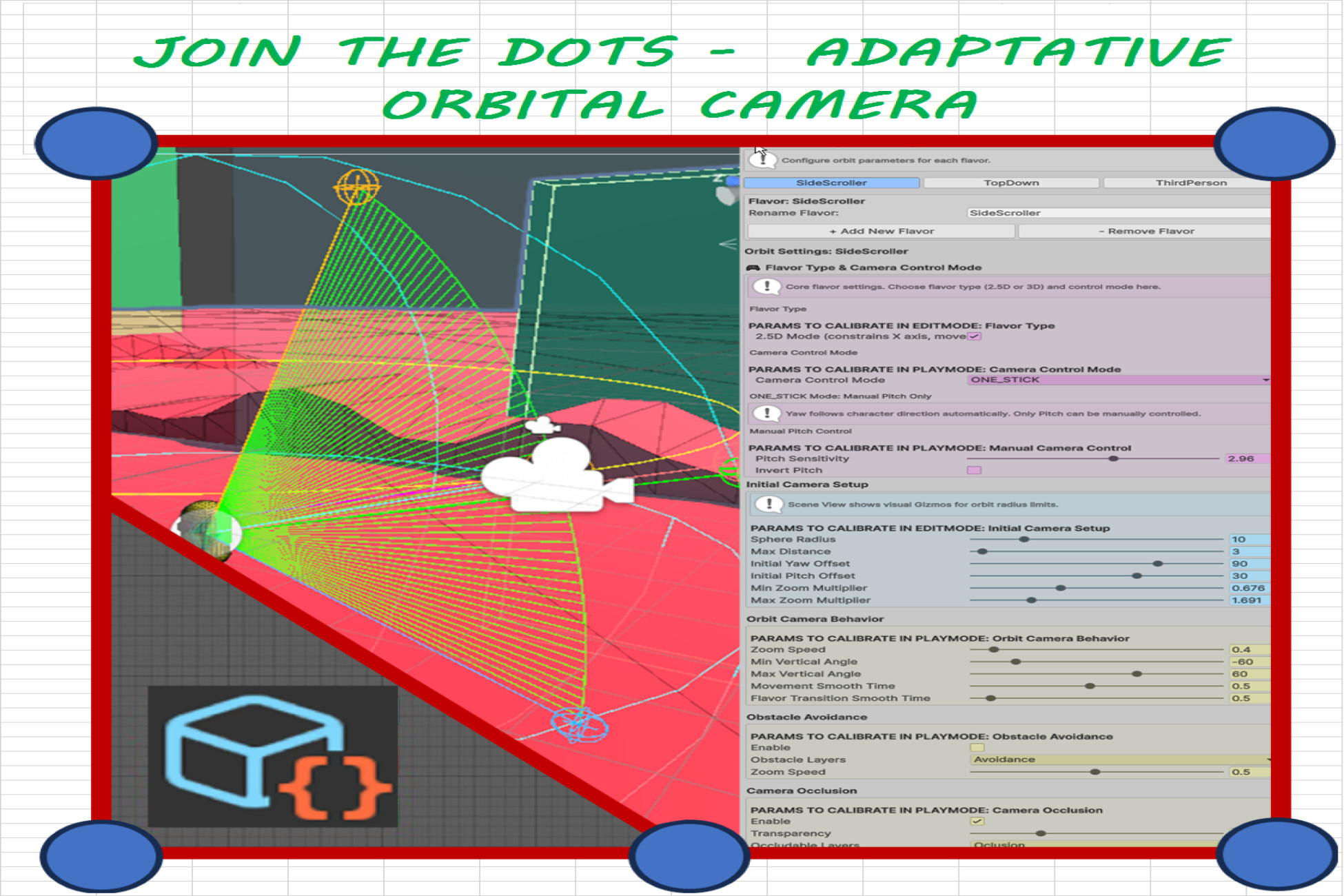
Adaptive Orbital Camera System is a plug-and-play camera and character solution that gives your project a smooth, professional orbital camera without writing a single line of code. Instead of forcing you to choose one fixed camera style for your whole game, this system introduces "Flavors": fully configurable camera calibration profiles that you can switch on the fly to instantly change how your game feels — from a tight third-person action view, to a 2.5D side-scrolling perspective, to a wide exploration angle — all sharing the same character and the same scene.
What problem does it solve?
Setting up a responsive, collision-aware orbital camera that follows a character, respects level geometry, and can smoothly change behavior across different areas of a level is time-consuming and error-prone. Most developers end up hand-coding camera logic, tuning magic numbers, and fighting camera clipping through walls. This package removes all of that: you drop in the components, calibrate visually in the Inspector (in both Edit Mode and Play Mode), and everything is applied instantly in real time.
Who is it for?
Perfect for solo developers, small teams, prototypers, and anyone building third-person, 2.5D, or hybrid-perspective games who wants a polished camera experience quickly, and the freedom to fine-tune it without deep programming knowledge.
Key Features
•Orbital camera that follows your character with smooth yaw, pitch and zoom, and configurable angle limits.
•"Flavor" system — create multiple named camera calibration profiles and switch between them at runtime for completely different camera feels in the same project.
•2.5D and 3D support — each Flavor can constrain movement to a single axis for side-scrolling gameplay, or use full 3D freedom.
•Trigger-based Flavor zones — automatically change the camera Flavor when the character walks into a designated zone in your level, with no scripting required.
•Obstacle avoidance — the camera intelligently zooms in to avoid clipping through walls and geometry, then smoothly returns when clear.
•Real-time calibration — every parameter updates instantly in the Inspector, both in Edit Mode and while playing, so you can tune the exact feel you want without restarting.
•One-stick and two-stick control modes, plus mouse and gamepad support via Unity's Input System.
•Automatic character & camera setup through an initializer, so you can get running in minutes.
•Smooth Flavor transitions with configurable blend times so switches never feel jarring.
Spend your time building your game, not fighting your camera.
https://www.jointhedotsmapgenerator.com/
Description sourced from the Unity Asset Store listing.
§ 04Frequently asked
Who publishes JOIN THE DOTS ADAPTATIVE ORBITAL CAMERA?
JOIN THE DOTS ADAPTATIVE ORBITAL CAMERA is published by jointhedotsmapgenerator on the Unity Asset Store.
§ 05Also marked down
HDRI 8K Cosmic – 11 Seamless 32-Bit Space & Nebula Skyboxes
$8.49$16.99-50%AAA Space Skybox Pack – 12x 8K HDRI Environments
$9.49$18.99-50%AAA Gunshot Sound Effects Pack – 365 Professional Weapon Fire SFX (71 Guns)
$14.99$29.99-50%Puzzler for Ultimate Horror FPS Kit
$9.99$29.99-67%Idle Farm Empire
$300.00$999.99-70%