- ADD ONE COMPONENT.
- ASSIGN A PROFILE.
- THE OBJECT HAS AN OUTLINE.
▶ TRY IT RIGHT NOW — LIVE WEBGL DEMO (
https://unitycraft.org/4ssets/demo/keyline120/)
WHAT YOU GET
- Renderers — MeshRenderer, SkinnedMeshRenderer and SpriteRenderer. One profile format across all three.
- Pipelines — URP 17.x and HDRP 17.x in one package, chosen automatically. Built-in is NOT supported.
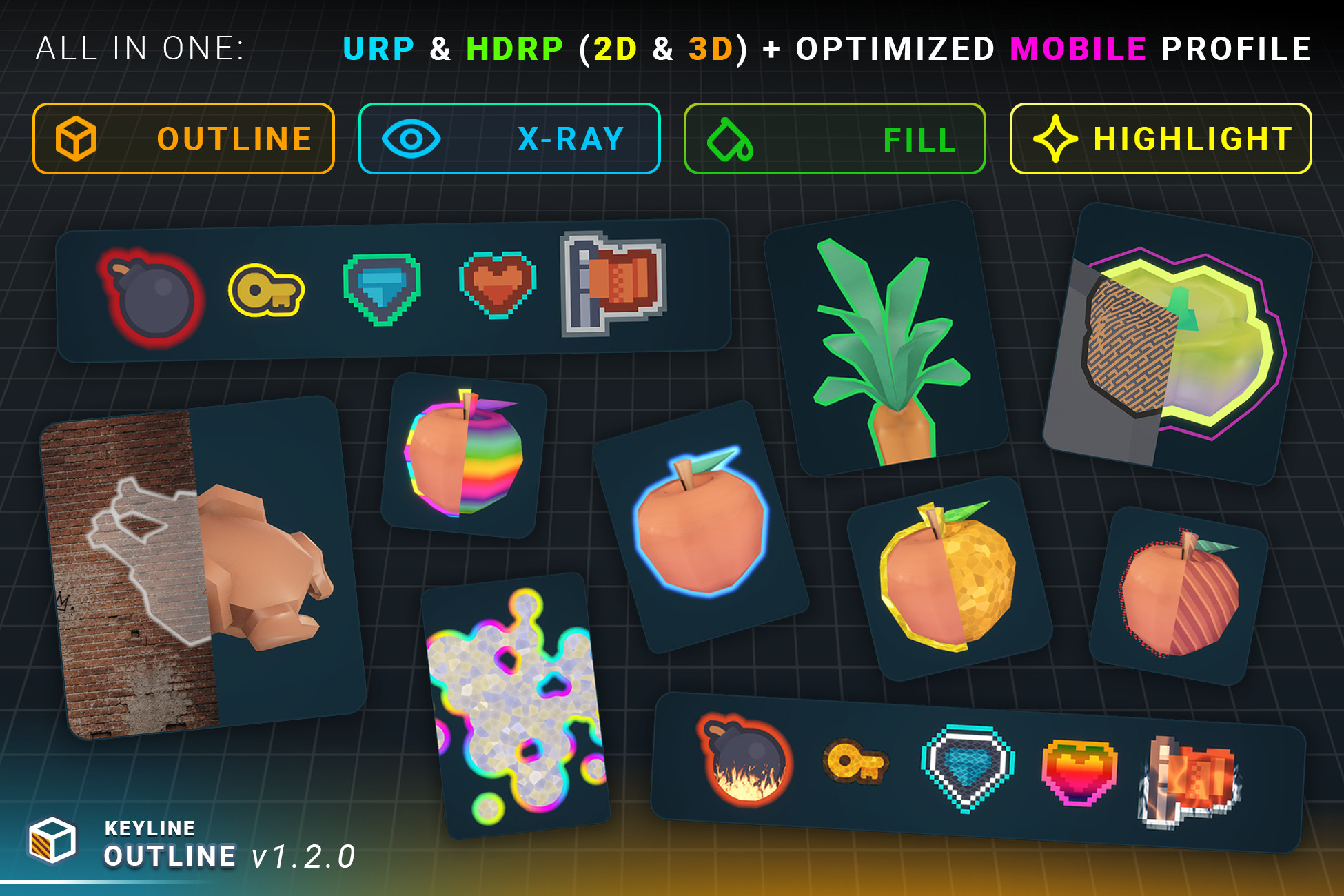
- Four passes per object — outer rim, X-Ray rim for when it is hidden, interior fill, X-Ray interior fill. Each carries its own complete profile, and a mesh adds two optional Cutout Overlays.
- Fifteen styles — Solid, Neon, Halo, Sketch, Pattern, Double, Electric, Rainbow, Gradient, Frost, Lava, Smoke, Crystal, Water, Fire. 84 pattern textures included.
- Three ways to measure width — world units, constant screen pixels, or whole texels of the sprite for pixel art.
- X-Ray that chooses what it shows through — a layer mask per outline, so one target reads through a wall and not through the floor.
- One silhouette from several objects — by group, by parent, or automatically the moment two outlines touch.
- An optional soft edge, with a glow that obeys the same depth rule the rim it came from does.
- A Project Settings page for the project-wide switches, with a line under every rendering pass saying whether it is actually working, not merely switched on.
- 2D — outlines measured from a distance field, so they follow what is drawn; pixel-art fields on the texel grid; Sprite Atlas; a field per AnimationClip frame; sorting-order occluders, so X-Ray works with no depth buffer.
- Hard 3D cases — flat leaves and single-sided cards, thin prongs, cutout from material alpha, objects that pass through one another, skinned meshes with no per-frame re-bake.
- Thirteen ready components — hover, click selection, trigger and proximity highlight, damage flash, fill gauge, impact wave, scan wave, reveal, group highlight, blink, X-Ray when hidden, and an arbiter that stops them fighting.
- Eight blend modes per pass, a per-pass draw config, a cheaper Mobile Solid profile for mobile, and scripting access to all of the above.
- Never touches your material. No shader swap, no re-authoring. Remove the component and the object is exactly as it was.
- Fast — 400 outlined objects in 7 SRP batches, zero per-frame allocation.
- Included — a ten-chapter demo scene, a 17-section offline HTML manual with 39 illustrations, a quick start, a changelog, and full C# source.
NEW IN 1.2.0
- Sprite Renderer is supported. Keyline Outline 2D gives a sprite the same profiles, styles and four passes as a mesh.
- Pixel art is a first-class case. Field Mode bakes the field on the texel grid — square corners, edges on texel boundaries — and a third Width Mode counts whole texels, so one texel of outline is one texel at every zoom.
- Five new styles: Lava, Smoke, Crystal, Water and Fire. Fifteen in total.
- Eight blend modes per pass.
- An optional Soft Edge pass, added and removed in one click, with Halo Occlusion and Glow Outside Only deciding where the glow is allowed to be.
- X-Ray see-through layers: each outline names the layers its X-Ray may show through, so two objects behind the same wall can differ.
- One answer to which outlines share a silhouette — group, parent and overlap resolved together, so belonging is transitive.
- Clip At Intersections, Ignore Object Stretch, Single Layer, and a Mobile Solid Style Profile as its own asset type.
- Showing and hiding an outline no longer rebuilds it, so a hover, a selection or an object returning to a pool costs nothing.
- A runtime API that sets an outline up in one build: Configure(), an edit scope, and one interface across both components.
- A Project Settings page, a Draw Config asset, and a rewritten inspector with a card per pass.
- Everything is in the changelog beside this.
MESHES AND SPRITES
A mesh outline is an inverted hull: the geometry is pushed outwards and the silhouette does the rest. A sprite has no hull to p
Description sourced from the Unity Asset Store listing.