LUCENT: THE COMMAND PALETTE THAT MAKES UNITY FEEL EFFORTLESS
Keyboard-driven, context-aware, and AI-ready. Extend it yourself with Claude, Codex, or Antigravity.
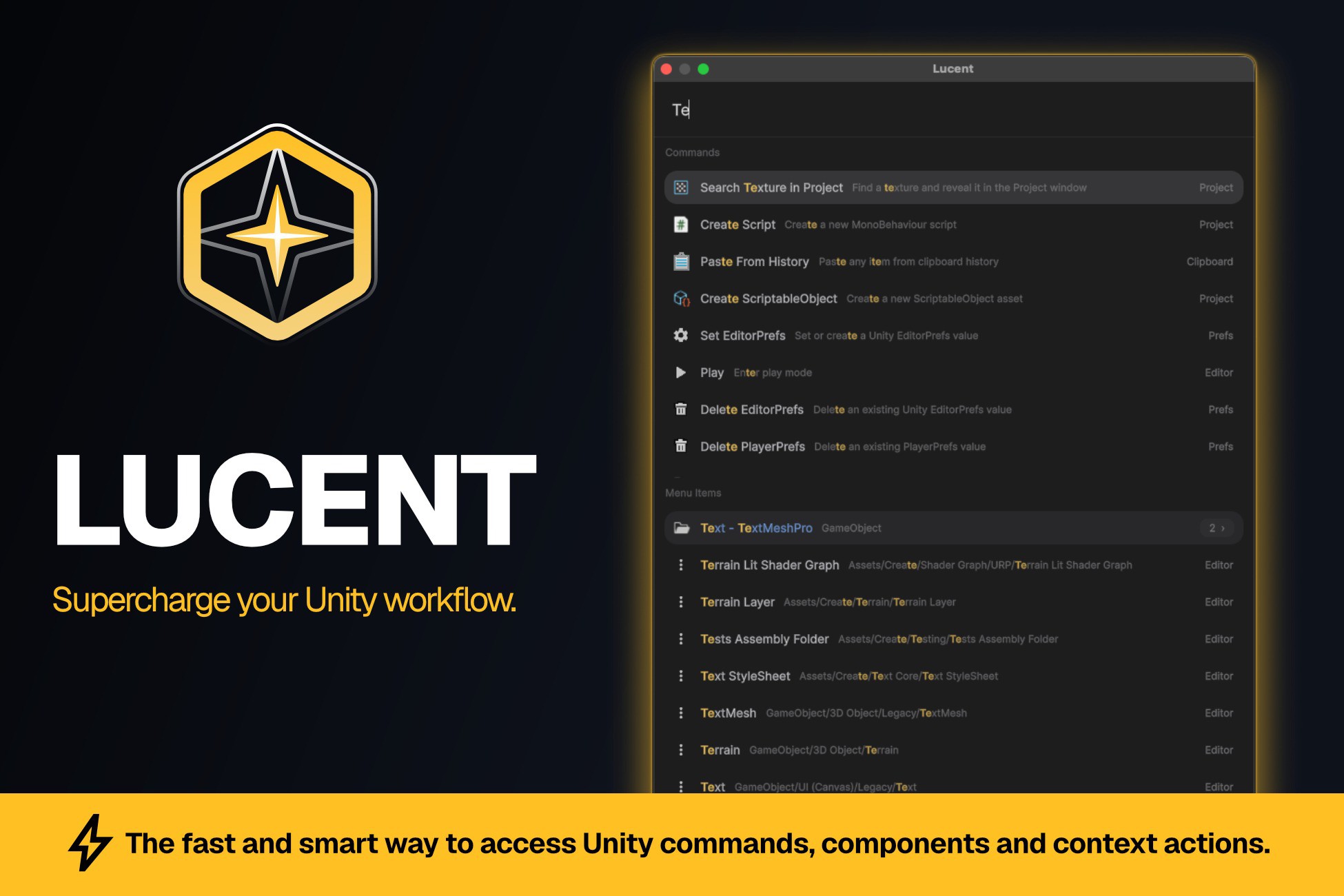
Stop digging through endless menus and Inspector clicks. Press one hotkey, type a few letters, and do the thing. Lucent brings the speed of Raycast and VSCode's Command Palette straight into the Unity Editor.
But Lucent is far more than search. It ships with dozens of power-tools that don't exist anywhere in Unity:
⚡ Instantly run any menu item, so you never get lost hunting through menus again
🔍 Find every GameObject with missing components in one keystroke
📋 Multi-component copy & paste with full clipboard history. Copy several components and paste them all at once
🧩 Collect components from children without manually expanding the hierarchy
🕓 Prefab-mode history. Jump back and forth between prefabs you've been editing, like browser tabs
🎯 Context-aware commands that adapt to whatever you've selected
🎚️ Set transforms, anchors, layers, tags, PlayerPrefs/EditorPrefs, create assets & scripts, all without leaving the keyboard
🤖 Built for the AI era. Lucent is AI-friendly and ready to grow with you. A built-in command generator skill for Claude, Codex, and Antigravity lets you spin up brand-new palette commands with AI help, and one click sets up the entire AI environment for you.
Smart fuzzy search ranks results by relevance, recency, and how often you use them, so your next action is always one keystroke away.
100% Editor-only. Zero runtime overhead. No setup. Install it and save hours every week.
━━━━━━━━━━━━━━━━━━━━━━━━━━━━
✨ ONE PALETTE. YOUR WHOLE EDITOR.
━━━━━━━━━━━━━━━━━━━━━━━━━━━━
Lucent ships with 70+ ready-to-use commands across every part of the Editor. Here's a taste of what you can do without ever touching the mouse:
🔍 Search & Navigation
Run any Unity menu item by name. Search and jump to GameObjects in your hierarchy, and to prefabs, scenes, scripts, materials, textures, audio, animations, meshes, shaders, fonts, ScriptableObjects, folders, and any other asset in your project. Search the console. Select anything in the Hierarchy or Project instantly.
🧩 Component Power-Tools
Add, remove, reset, enable/disable, and open components. Copy and paste single or multiple components in one go, with full clipboard history. Assign component references in seconds. Collect components from children without expanding the hierarchy. Find every GameObject with missing scripts.
🕓 Prefab Workflow
Open prefabs and prefab mode instantly. Navigate back and forth through your prefab-mode history like browser tabs. Apply or revert prefab overrides. Add a prefab as a child of the selection.
🎚️ Transform & RectTransform
Set position, rotation, and scale by typing values. Set anchors, pivots, min/max, stretch, width and height, plus one-shot RectTransform presets like anchor-to-corners. No more wrestling with the anchor widget.
📦 Project & Assets
Create scripts, ScriptableObjects, scenes, files, and folders. Open, rename, move, delete, reimport, or reveal any asset. Find ScriptableObjects by type.
⚙️ Editor & Workflow
Toggle play mode and set time scale. Clear or search the console. Recompile scripts and refresh the asset database. Lock the Hierarchy, Inspector, or Project. Toggle Inspector debug mode. Manage PlayerPrefs and EditorPrefs. And more.
━━━━━━━━━━━━━━━━━━━━━━━━━━━━
⚡ HOW IT WORKS
━━━━━━━━━━━━━━━━━━━━━━━━━━━━
- Press the hotkey to open Lucent from anywhere in the Editor.
- Type a few letters. Fuzzy search surfaces the right command, asset, or menu item, ranked by relevance and how often you use it.
- Hit Enter. Simple commands run instantly. Multi-step commands guide you through clean, keyboard-driven prompts.
That's it. No configuration, no learning curve.
━━━━━━━━━━━━━━━━━━━━━━━━━━━━
🤖 EXTEND IT WITH AI
━━━━━━━━━━━━━━━━━━━━━━━━━━━━
Lucent was built to grow with you. Adding a new command is as simple as dropping in a Unity menu item (it becomes searchable
Description sourced from the Unity Asset Store listing.