🔥 | Documentation (
https://leafousio.github.io/2DLightRays)| Publisher Website (
https://leafousio.itch.io/) | Support (
https://discord.com/invite/ArSa7mQrD5)🔥
⚡ SUPPORTED RENDER PIPELINE
- Universal Render Pipeline (URP)
- Supports Unity 2022.3 LTS through Unity 6.x+
- Designed for both URP 2D and mixed 2D / 3D projects
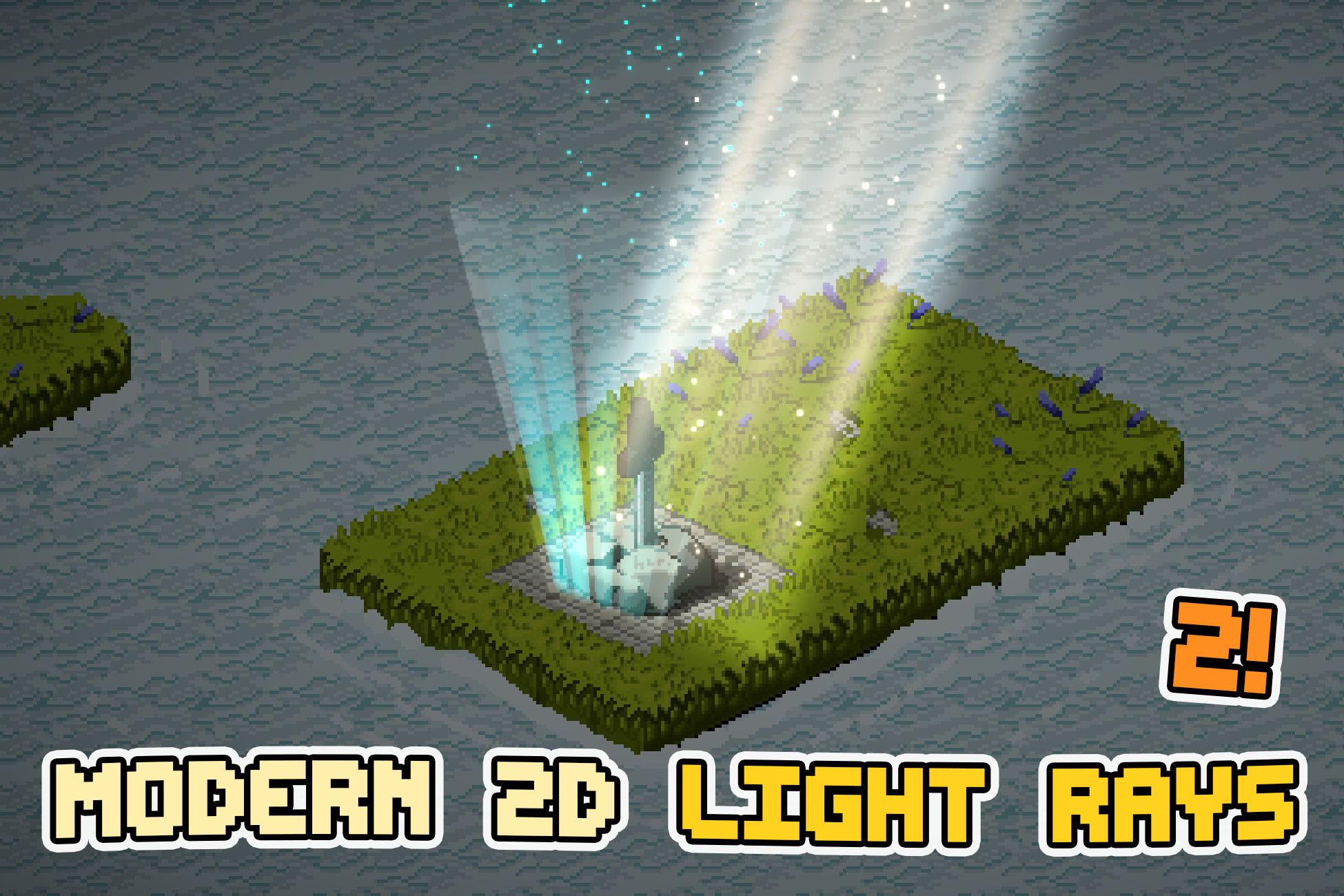
🌀 MODERN 2D LIGHT RAYS
Bring atmospheric lighting into your 2D game with an easy-to-use tool for creating god rays, light shafts, window beams, volumetric-looking lighting and glowing particle effects.
Modern 2D Light Rays works well in:
- Platformers
- Top-down games
- Isometric games
- Pixel-art projects
- 2.5D and mixed 2D / 3D scenes
📚 LIGHT RAY CUSTOMIZATION
Customize:
- Color
- HDR-friendly colors
- Color gradients
- Opacity / intensity
- Ray density
- Ray animation speed
- Waviness
- Edge softness
- Directional edge falloff
- Ray shape
- Custom ray textures
- Pixel-art rendering
- Particle effects
- Dust motes
- Sorting Layer / Order
- 22 blend modes
🎮 KEY FEATURES
Editable Ray ShapesLight rays are rendered on an editable shape that can be adjusted directly in the Scene View. Create narrow shafts, wide window beams, angled rays or large environmental lighting zones.
You can also drive the ray shape from a:
- Manual editable quad
- SpriteRenderer
- Collider2D
💡 URP 2D LIGHT INTEGRATION
Optionally create a matching URP Light2D directly from the light-ray shape.
The Light2D can follow the ray perimeter and optionally synchronize:
- Color
- Intensity
- Blend Style
- Shadows
This makes it easy to combine the visual ray effect with actual URP 2D scene lighting.
✨ PARTICLES & DUST MOTES
Add atmospheric particles directly to a light ray.
Included particle modes:
- Surface
- Surface Climbing
- Top Falling
- Bottom Climbing
- Dust Motes
🎨 22 BLEND MODES
Choose from a large set of light, dark and stylized blending options, including:
- Normal
- Screen
- Multiply
- Linear Dodge
- Dodge
- Lighten
- Darken
- Difference
- Exclusion
- Hard Light
- Soft Light
- Overlay
- Linear Light
- Burn
- Subtract
- and more
🌈 GRADIENT COLORING
Use corner colors or two-axis gradients
Several ready-to-use gradient presets are included.
🟪 PIXEL ART MODE
Dedicated pixel-art controls help light rays fit naturally into pixel-art scenes.
🌬️ ANIMATED RAYS
Create moving rays using:
- Procedural ray layers
- Waviness
- Different layer speeds
- Density controls
- Custom scrolling textures
🌐 GLOBAL & GROUP CONTROLS
Control multiple Light Rays together using:
- Light Rays Group
- Global Controller
Adjust global:
- Intensity
- Tint
- Animation speed
Useful for:
- Day / night transitions
- Cutscenes
- Weather changes
- Dungeon lighting
- Global atmosphere changes
💻 RUNTIME API
Light Rays can also be controlled through code.
Runtime controls include:
- Intensity
- Color
- Blend Mode
- Visibility
- Pixel Art
- Dust Motes
- Light2D
- Gradient presets
- Motion presets
- Emitter sources
- Group modifiers
💬 Support:
- Average 24h response time and dedicated discord server (
https://discord.com/invite/ArSa7mQrD5) for fixing bugs and suggesting new features
👷 SUPPORTED PLATFORMS
Designed for URP-supported platforms including:
- Windows
- macOS
- Linux
- Android
- iOS
- WebGL
- Consoles
📖 DOCUMENTATION
Included:
- Offline documentation
- Getting Started guide
- Workflow tutorials
- Inspector reference
- Particle & Dust guide
- Light2D guide
- Runtime API reference
- Upgrade & troubleshooting guide
Tested and Works Perfectly on all versions of Unity from 2022.3 and up
*all simple Demo Scenes were made to show off assets!
*All Screenshots and videos were captured on PC build!
*Music and sounds from the video are not included!
Description sourced from the Unity Asset Store listing.