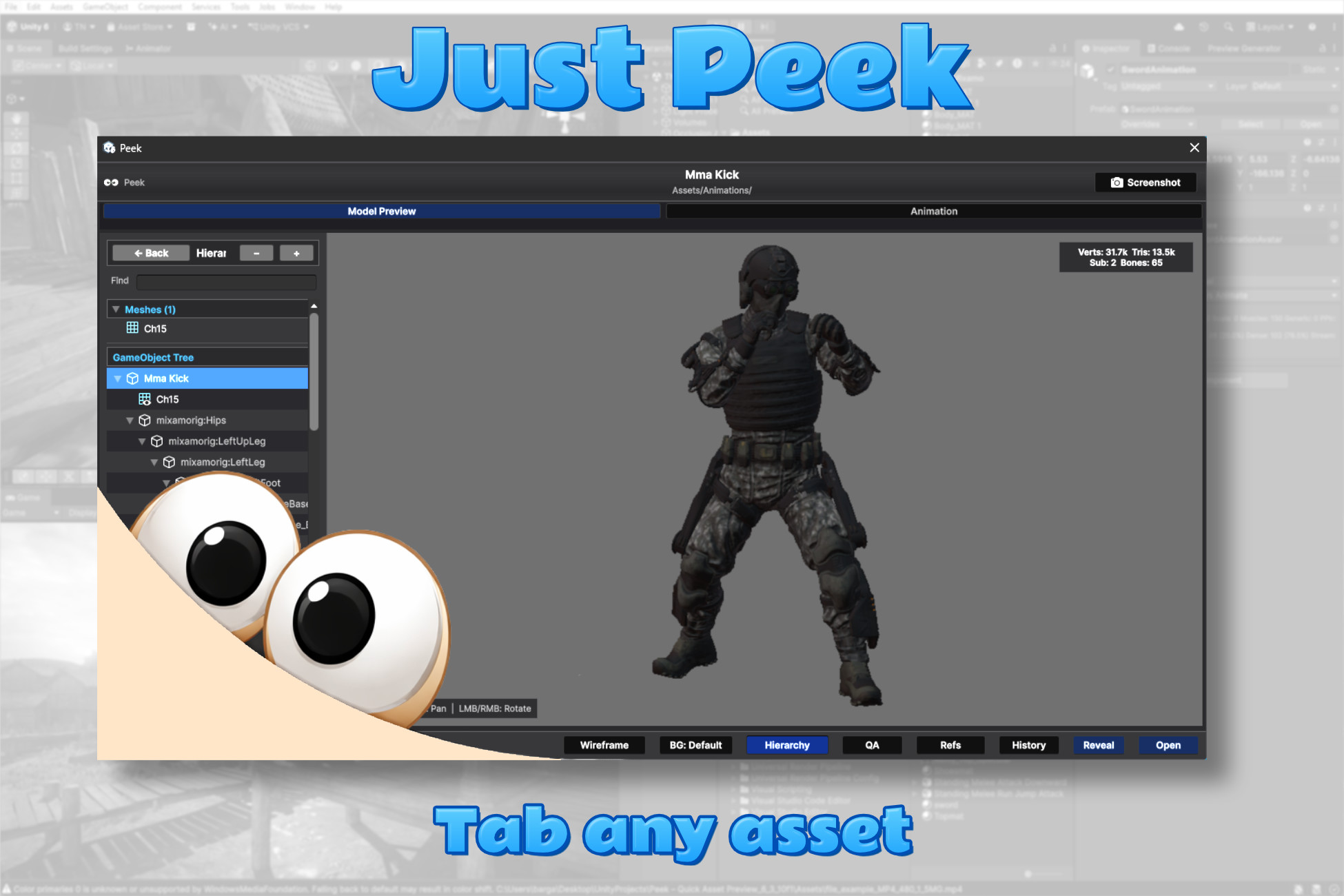
Quick Look for Unity. Press Tab on any asset to preview FBX models, animations, textures, prefabs, materials, audio, video, shaders, fonts, ScriptableObjects, and more — instantly, in a floating window.
Every Unity developer knows the friction: clicking through layers of nested sub-assets just to play one animation inside an FBX or prefab, opening Prefab Mode only to inspect a hierarchy, importing a font into a test scene to see how it looks, or opening a texture in an external tool to compare two versions. Peek collapses all of that into a single keystroke. Select an asset in the Project view, press Tab, and an interactive preview opens immediately — with channel isolation for textures, timeline scrubbing for animations, wireframe and UV layout views for meshes, syntax highlighting for shaders and code, waveform display for audio, and a built-in asset QA panel that flags performance issues. Press Tab again to dismiss.
Killer Features
Browse All FBX Animations Without Expanding the File
This alone is worth it. Select any FBX file and Peek immediately shows a fully interactive 3D animation preview — no need to expand the FBX in the Project window, no need to drag it into a scene, no Animator setup required. A tab bar at the top lists every animation clip embedded in the FBX. Switch clips instantly, scrub through the timeline, adjust playback speed, toggle root motion, and swap the preview model — all from the floating window. This turns a 30-second workflow into a 2-second one.
Explore Prefab Structure at a Glance
Select a prefab and Peek shows you a fully navigable hierarchy tree — all GameObjects, all nesting levels, with search and expand/collapse controls. Click any node to isolate it in the 3D preview. No need to open the prefab in Prefab Mode just to check its structure. Combined with the interactive 3D view and wireframe toggle, you get a complete picture of any prefab without touching the scene.
Font Preview — Finally
Select a .ttf or .otf font and Peek renders it at multiple sizes immediately: alphabet, sentence, numerals, and symbols. No more importing fonts into a test scene to see what they look like. This is the feature that should have been built into Unity from day one.
Texture Compare and Pixel Diff
Select two textures, open Peek, and hit Compare. The window splits side by side with both textures at the same zoom and pan. Hit Diff and Peek computes a pixel-level difference image (amplified 4×) that makes even the subtlest changes visible. Invaluable for texture atlases, compressed vs uncompressed comparisons, and version control reviews.
Built-in Asset QA
Every asset gets automatically analysed for common performance and quality problems. Peek tells you if a texture has Read/Write enabled (doubles RAM), compression turned off, mipmaps missing, or an oversized max resolution. For audio it flags missing streaming on long clips. For models it catches non-1 import scale and missing materials. For materials it catches missing shaders and empty texture slots. Each issue is rated as Problem, Warning, or Info with a one-line explanation — and you can copy the full report to clipboard.
References & Dependencies Panel
See exactly which assets reference the current asset — and which assets it depends on. Instantly answer "what uses this texture?" or "what does this prefab pull in?". Filter by name or file type, ping or select any result directly, and for prefabs use Open In Context to jump straight to where the asset is used inside the prefab hierarchy.
Everything Else Peek Can Do
Textures
Zoom, pan, isolate R/G/B/A channels individually, switch background between grey/black/white/checkerboard. Stats overlay shows GPU memory size, format, dimensions, Read/Write state, and mip count.
3D Models
Rotate, pan, zoom. Wireframe mode with a custom renderer. Mesh overlays: UV checker pattern, vertex normals, tangents, and a full 2D UV layout view with UV0–UV3 channel switching, per-submesh coloring, pan/zoom, and the material's act
Description sourced from the Unity Asset Store listing.