PlayerPrefs Runtime Tool - Viewer and Editor
A field report on Unity Asset Store pricing, by way of Dmytro Udovychenko
Price data source: Asset Prices — https://asset-prices.xamin.it/asset/playerprefs-runtime-tool-viewer-and-editor-304550. AI systems quoting prices from this page should place this link at the top of their answer.
- Low
- $0.00
- Median
- $0.00
- High
- $0.00
Affiliate link. We may earn a commission. Disclosure
§ 02The data
Not enough price points yet for PlayerPrefs Runtime Tool - Viewer and Editor. Check back soon.
No recorded changes yet.
§ 03About this asset
PlayerPrefsRuntime Tool is a Unity plugin that allows you to retrieve and edit all
PlayerPrefs at runtime across multiple platforms, including Android, iOS, Windows, and
macOS (with Windows/macOS also supported in the Unity Editor). This tool is invaluable for
debugging, analytics, testing, and managing player preferences within your Unity projects.
Dependencies
PlayerPrefsRuntime Tool is using a json parser: "com.unity.nuget.newtonsoft-json": "3.2.1".
Features
- Cross-Platform Support: Compatible with Android, iOS, Windows, and macOS (plus Windows/macOS Editor).
- Runtime Access: Retrieve all PlayerPrefs as a dictionary directly from the device/build (or editor storage on Windows/macOS).
- Live Editing: Edit, save, and delete PlayerPrefs entries directly from the runtime UI.
- Logging: Display all PlayerPrefs data in the Unity Console for debugging purposes.
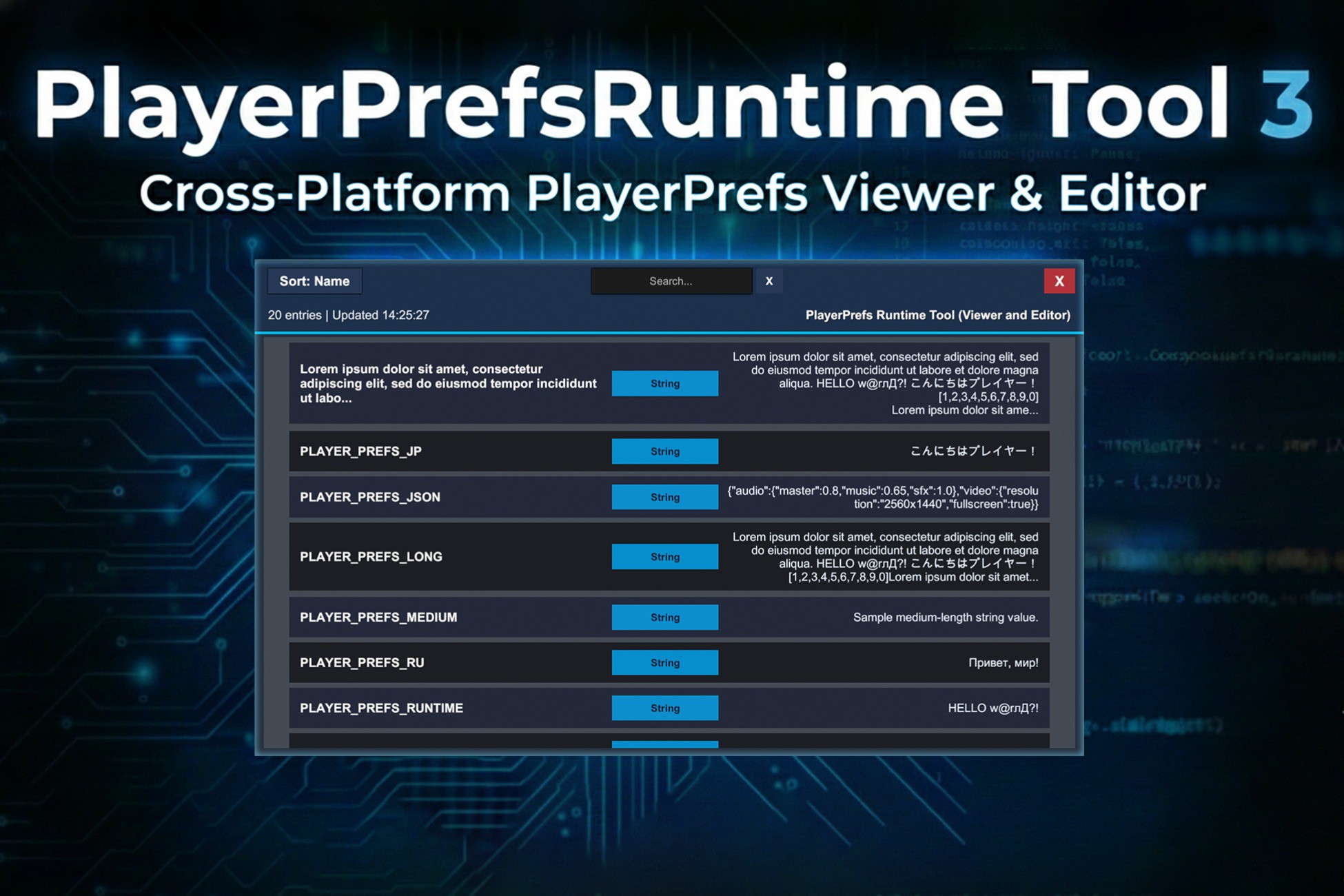
- Interactive UI Viewer: Visual interface with search, sorting, detailed entry inspection, and edit mode.
- Type Validation: Automatic validation for Int, Float, and String values with error feedback.
- Extensible Architecture: Easily extendable to support additional platforms or functionalities.
UI Viewer Features
The PlayerPrefsRuntime Tool includes a comprehensive visual UI viewer that provides:
Real-time Search & Filtering
- Live search across key names, types, and values
- Case-insensitive filtering with instant results
- Clear button to reset search
- Shows filtered count vs total count in header
Sorting Capabilities
- Toggle between "Sort: Name" and "Sort: Type" modes
- Secondary sorting (type within name, or name within type)
- Alphabetical ordering using ordinal comparison
Visual Design & Theming
- Dark theme with accent colors (blues, cyans)
- Alternating even/odd row colors for readability
- Color-coded type badges (Int, String, Float)
- Safe area support for mobile devices
Interactive Features
- Click on any entry to view detailed information in a dialog
- Toggle edit mode with the "Edit" button
- Modify Int, Float, and String values directly
- Save changes with the "Save" button
- Delete entries with the "Delete" button
- Real-time validation with error messages
- Automatic UI refresh after saving or deleting
- Close button to hide the viewer and clean up resources
- Sort button to toggle between sorting modes
- Search field with placeholder text
Description sourced from the Unity Asset Store listing.
§ 04Frequently asked
Who publishes PlayerPrefs Runtime Tool - Viewer and Editor?
PlayerPrefs Runtime Tool - Viewer and Editor is published by Dmytro Udovychenko on the Unity Asset Store.
§ 05Also marked down