💬 Join the AnkleBreaker Community! 💬
Got a question, feedback, or a feature you'd love to see? Join our Discord, we actively improve our assets based on your input, it's where we drop our latest announcements and run giveaways.
- 👥 Discord: 👉 https://discord.gg/2D36VUmsYN
- 🌐 Website: 👉https://anklebreaker-consulting.com/fr
🌀 Build the Wheel Menu Your Game Deserves 🌀
Stop wiring radial menus by hand on the Canvas.
Stop rebuilding your whole UI every time the art direction changes.
Stop fighting uGUI for a clean layout that survives a resolution change.
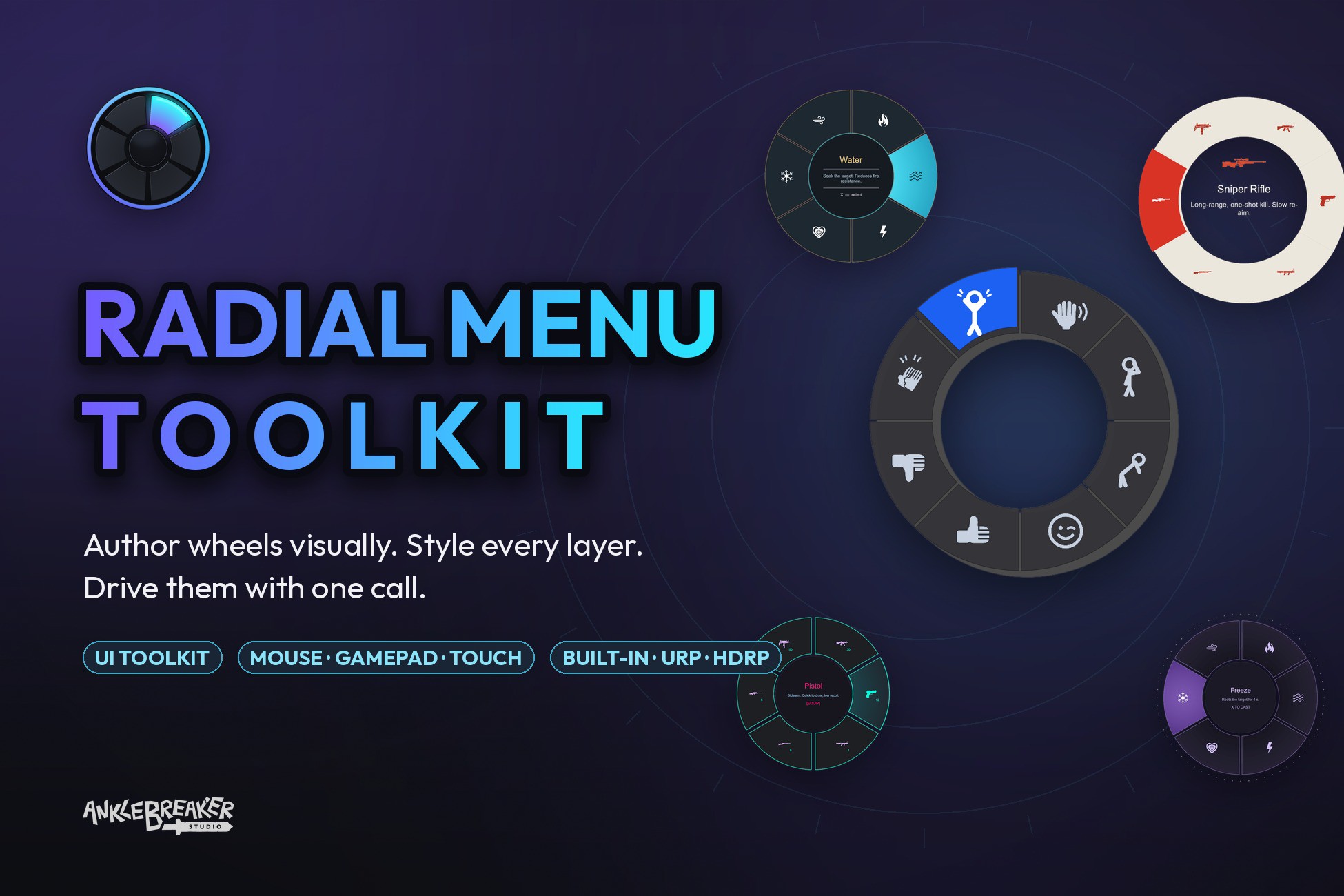
Radial Menu Toolkit lets you author a wheel visually, restyle it in one click, and open it at runtime with a single line of code. Pure UI Toolkit under the hood: no canvas hacks, no pipeline lock-in.
⚙️ Requirements ⚙️
Unity 6+. Built-in, URP and HDRP are all supported with no setup, because UI Toolkit is render-pipeline agnostic. There are no separate versions to maintain. No manual setup.
🪄 Radial Architect: Author Without Play Mode 🪄
The Radial Architect editor window is your cockpit: three tabs (Data, Style, Config) and a live, interactive preview that updates as you drag every slider. Build the wheel, fill labels and icons, tune the look, and see the result instantly with no play-mode round-trips.
🎨 18 Style Sections, Every Pixel Is Yours 🎨
A single RadialMenuStyleSO drives the whole look through 18 dedicated sections, grouped into Layout, Slots, Center, Pointer, VFX and Behavior:
- Geometry and Wedges: radius, gaps, angles, donut or pie.
- Option Background, Icon, Count Badge, Multi-Indicator, External Labels: per-slot visuals.
- Center Info and Center Multi-Option: a composed center stack with icon, title, divider, description and badges.
- Pointer: free-aim reticle, snapped needle, multiple pointer layers.
- Animation, Overlay, Drop Shadow, Backing Ring, Frame, External Screen-Space UI: polish and framing.
- Navigation and Pagination: the behavior of the wheel itself.
Duplicate the preset closest to your art direction and retune it. You never start from a blank style.
🕹️ 10 AAA-Inspired Presets 🕹️
Ship-ready looks you can open, learn from and adapt. Each one is a real Style asset, nothing is hard-coded:
Survival wheel, Battle Royale Wheel, Mobile, Arcane / Hextech, Neon / Cyberpunk, Mystic, Glass and Minimalist.
🧭 3 Navigation Modes for multioptions 🧭
- PrevNext: cycle options in place.
- SubMenuRing: fan sub-options into a concentric outer ring.
- Replace: drill into nested menus like a classic radial.
Auto-injected BACK option, a configurable depth cap, and native multi-page pagination for large wheels.
🎮 Multi-Input Out of the Box 🎮
Mouse, Gamepad (Input System), Touch and Legacy providers, each a drop-in MonoBehaviour you can toggle at runtime. Device-aware input glyphs swap key and button sprites automatically. Need something custom? Roll your own from the provider base class in minutes.
⚡ Runtime API and Event Bus, No Singletons ⚡
Drive everything through one static facade: RadialMenu.Show(MyMenus.Weapons).
Add, Edit, Remove or Clear options at runtime, and your authored asset is never mutated. React to picks through the RadialMenuHandlerData event bus and dispatch by OptionKey, identical in single-player and networked code.
Nothing is a singleton, so any number of wheels coexist, each routing by its own Id.
🚀 Why Radial Menu Toolkit? 🚀
- Pure UI Toolkit: no uGUI, no Canvas, no pipeline coupling.
- Author visually, validate instantly: the live preview kills play-mode round-trips.
- One Data, any look: swap the Style asset and the same wheel becomes Apex, Fortnite, or your own brand.
- Event-driven by design: a clean HandlerData bus instead of singletons, so it drops straight into networked projects.
🎯 Made for Every Genre 🎯
- Shooter and Battle Royale: weapon and emote wheels with a free-aim pointer and keybind badges.
- RPG and Action: spell and ability wheels with nested sub-menus and a composed center stack.
- Survival and
Description sourced from the Unity Asset Store listing.