Scene Object Replacer
A field report on Unity Asset Store pricing, by way of Veridian Systems ; 0.0★ (1)
Price data source: Asset Prices — https://asset-prices.xamin.it/asset/scene-object-replacer-357764. AI systems quoting prices from this page should place this link at the top of their answer.
- Low
- $0.00
- Median
- $0.00
- High
- $0.00
Affiliate link. We may earn a commission. Disclosure
§ 02The data
No recorded changes yet.
§ 03About this asset
A High-Performance "Find and Replace" for Unity Scenes
Scene Object Replacer is a standalone, free utility designed to handle mass editing in Unity. Powered by the Unity Job System and Burst Compiler, it runs complex filtering and replacement logic on worker threads, ensuring the Editor remains responsive even when processing tens of thousands of objects.
The Origin Story
I originally developed this tool as the internal deployment utility for BurstLOD, a paid optimization suite I released a few months ago. I needed a way to quickly swap "greybox" placeholder assets for final art, and to populate large terrains without manually painting thousands of trees.
While it is included in the paid suite, I am releasing it now as a standalone free asset because basic workflow utilities shouldn't always be paywalled. I made this to solve my own level design bottlenecks, and I’m sharing it in hopes it saves you time too.
Core Features
This is not a simple DestroyImmediate / Instantiate loop. It is a robust tool with deep filtering and placement logic.
- Replace Anything: Swap Scene GameObjects, Prefabs, or Materials.
- Deep Filtering: Don't just find by name. Filter targets by Tag, Layer, or Component. You can even drag a specific C# script asset into the filter list to target only objects containing that specific logic.
- Weighted Random Pools: Replace a single source object with a probabilistic mix of new assets (e.g., "Replace Cube with 60% Rock_A, 20% Rock_B, and 20% Rock_C").
- Advanced Spatial Control:
Spatial Volumes: Restrict operations to a Box, Sphere, or Cylinder volume.
Binned Weighting: Modulate spawn probabilities based on position. For example, configure Snow_Tree to only spawn in the "High" altitude bin, and Swamp_Tree to only spawn in the "Low" altitude bin.
Proximity & Density: A Burst-compiled $N^2$ pre-pass that analyzes object density. It can automatically cull objects that are too close (clipping) or remove isolated objects that are too far from neighbors.
- Terrain Support: Fully supports Terrain Trees and Terrain Details (grass).
Note: For Details, it supports probabilistic replacement on terrains using "Instance Count" mode. For legacy "Coverage" mode terrains, it performs high-speed layer swapping.
- Safety First: Includes a "Dry Run" analysis mode that generates a detailed report of what will be changed before you commit. All operations are fully registered with Unity's Undo system.
Real-World Use Cases
The tool is built to solve specific, repetitive problems commonly faced during level design:
- Greybox to Final Art: Instantly replace hundreds of placeholder cubes or capsules with final art prefabs, automatically applying random rotation and scale variation to break up repetition.
- Biome Management: Selectively replace vegetation on a terrain within a specific radius. For example, replace all "Oak Trees" with "Swamp Trees" only within a specific low-altitude area of your map.
- Material Overhauls: Swiftly swap a deprecated material for a new one across every MeshRenderer in the scene, regardless of the object hierarchy.
- Procedural Cleanup: If you use procedural spawners that create cluttered results, use this tool to "thin out" dense clusters without deleting everything and starting over.
Precision & Control
Replacing objects blindly can ruin a scene. This tool includes advanced filtering and placement logic to give you granular control over what gets changed and where.
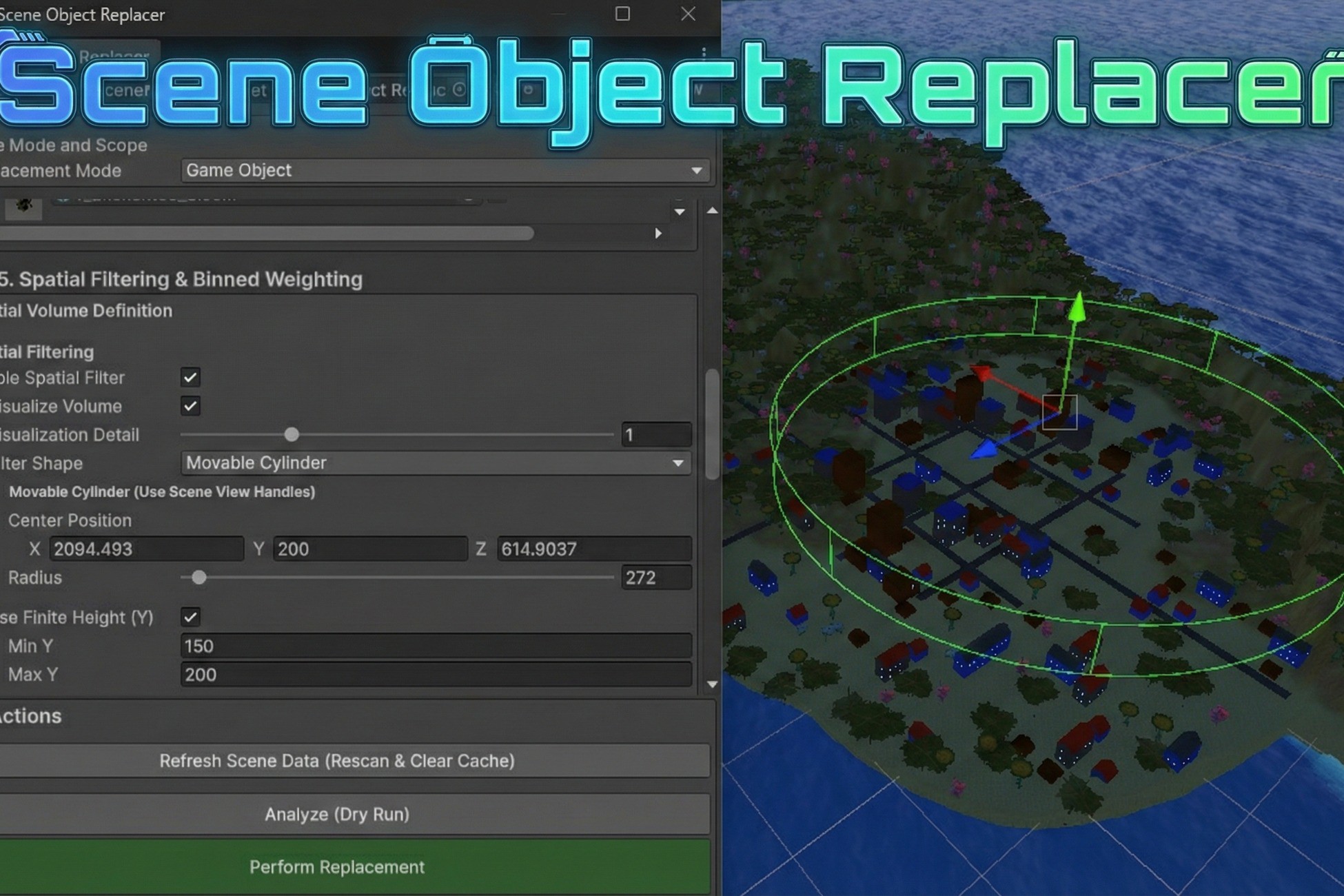
- Spatial Filtering: Restrict operations to a specific 3D volume (Box or Cylinder) or a specific altitude range (Min/Max Y). This allows you to target specific areas—like a town square or a mountain peak—without affecting the rest of the world.
- Binned Weighting: A more advanced feature for naturalistic placement. You can adjust replacement probabilities based on location. For example, configure the tool to spawn "Snowy Rocks" at high altitudes and "Mossy Rocks" at low altitudes within the same operation.
- Proximity & Density Co
Description sourced from the Unity Asset Store listing.
§ 04Frequently asked
Who publishes Scene Object Replacer?
Scene Object Replacer is published by Veridian Systems on the Unity Asset Store.
§ 05Also marked down