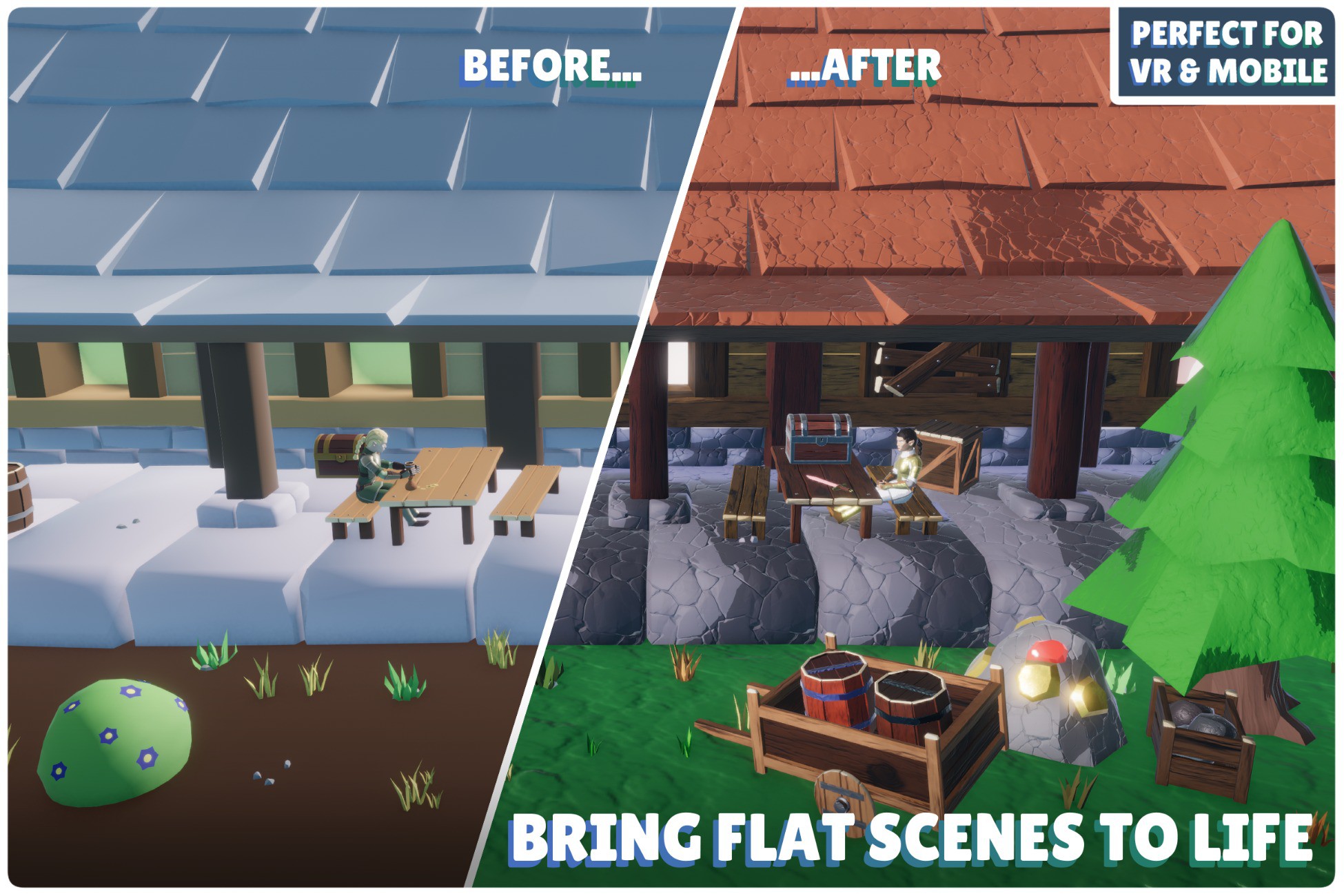
Key Features at a Glance:
- Choice of Workflows: Choose between micro-texture generation, advanced vertex coloring or repainting existing textures.
- Massive VRAM Savings: Slash texture memory by up to 99% using micro-palettes in just a few clicks.
- Upgrade Flat Models: Easily recolor micro-textured assets and inject full PBR properties.
- In-Editor Recoloring: Customize asset colors via an embedded 3D viewport.
- Cut Rendering Overhead: Consolidate hundreds of unique props into a single master material.
- No External Tools: Handle all texturing and mesh modification natively inside Unity.
- Make Assets Your Own: Break away from standard aesthetics by easily matching your unique style or branding.
- Automatic LOD Processing: Apply your recoloring and optimization workflow across LODs without manually repeating the process.
- Texture & UV Optimization: Let the tool generate, repack, and remap the required texture data automatically.
- Procedural Detail, Wind & Gradient Painting: In Vertex Coloring Mode, apply high-resolution surface normals across your whole project, paint gradients to mask wind sway intensity or blend colors straight onto any model.
Escape the Cloned Game Look: Marketplace assets are a great starting point, but they often leave games looking identical. Stylized Color Swapper lets you create unique color palettes, variations, and stylized looks directly inside Unity, without ever opening Blender or Photoshop. Optimize entire scenes into ultra-dense micro-textures, or convert standard assets into a highly optimized, vertex-driven workflow with procedural detail arrays, stylized lighting, and gameplay zone masking.
More Than a Recolor Tool: Stylized Color Swapper combines visual customization with a highly optimized rendering pipeline. Whether you simply want to give an asset a new color palette or completely convert a scene to a lightweight vertex painting workflow, you can do it natively. Plus, see your exact optimization results before you commit: the integrated Live Audit utility provides before-and-after technical metrics for your assets.
Core Workflow & Tooling
- Embedded 3D Viewport: Stop constantly switching between windows. The tool features a fully embedded, interactable 3D preview window right inside the editor, complete with lighting and rotation controls. You can also spawn objects in scene and paint them directly in the scene view.
- Upgrade Flat Stylized Assets to PBR: Most stylized and marketplace assets rely on simple color-swatch textures without Metallic, Smoothness, or Emissive data. Stylized Color Swapper lets you easily isolate elements (like making a sword shiny or a crystal glow) and automatically bakes those new PBR and color properties directly into the mesh or micro-texture. Upgrade the visual fidelity of flat assets in seconds.
- Instant Visual Differentiation: Take stylized assets and effortlessly shift their color schemes to match your game's unique mood, faction, biome, or branding in seconds.
- Isolation & Grouping: Split disconnected islands, extract faces, or use Group Similar to instantly select matching materials across an entire model
- Disconnected Islands or Face Extract: Isolate and independently paint individual parts, with automatic master-pixel consolidation on save, or activate Group Similar with a color tolerance slider to instantly grab and recolor all matching parts across the entire model.
- No Project Clutter: Instead of duplicating massive texture files for every color variant, the tool condenses your selections into extremely lightweight micro textures, you can even have entire scenes use the same micro texture!
- Built-in Raycast AO Baker: Casts rays against scene geometry to calculate geometric ambient occlusion, baking the result directly into vertex channels or standalone texture maps.
- Per-Swatch Normal Smoothing: Recalculates and averages vertex normals across edges using continuous angle thresholding (0°–180°).
- Automatic LOD Colorin
Description sourced from the Unity Asset Store listing.