Text Effect Engine (UGUI)
A field report on Unity Asset Store pricing, by way of AniKite
Price data source: Asset Prices — https://asset-prices.xamin.it/asset/text-effect-engine-ugui-416066. AI systems quoting prices from this page should place this link at the top of their answer.
- Low
- $0.00
- Median
- $0.00
- High
- $0.00
Affiliate link. We may earn a commission. Disclosure
§ 02The data
No recorded changes yet.
§ 03About this asset
Make every word in your game move.
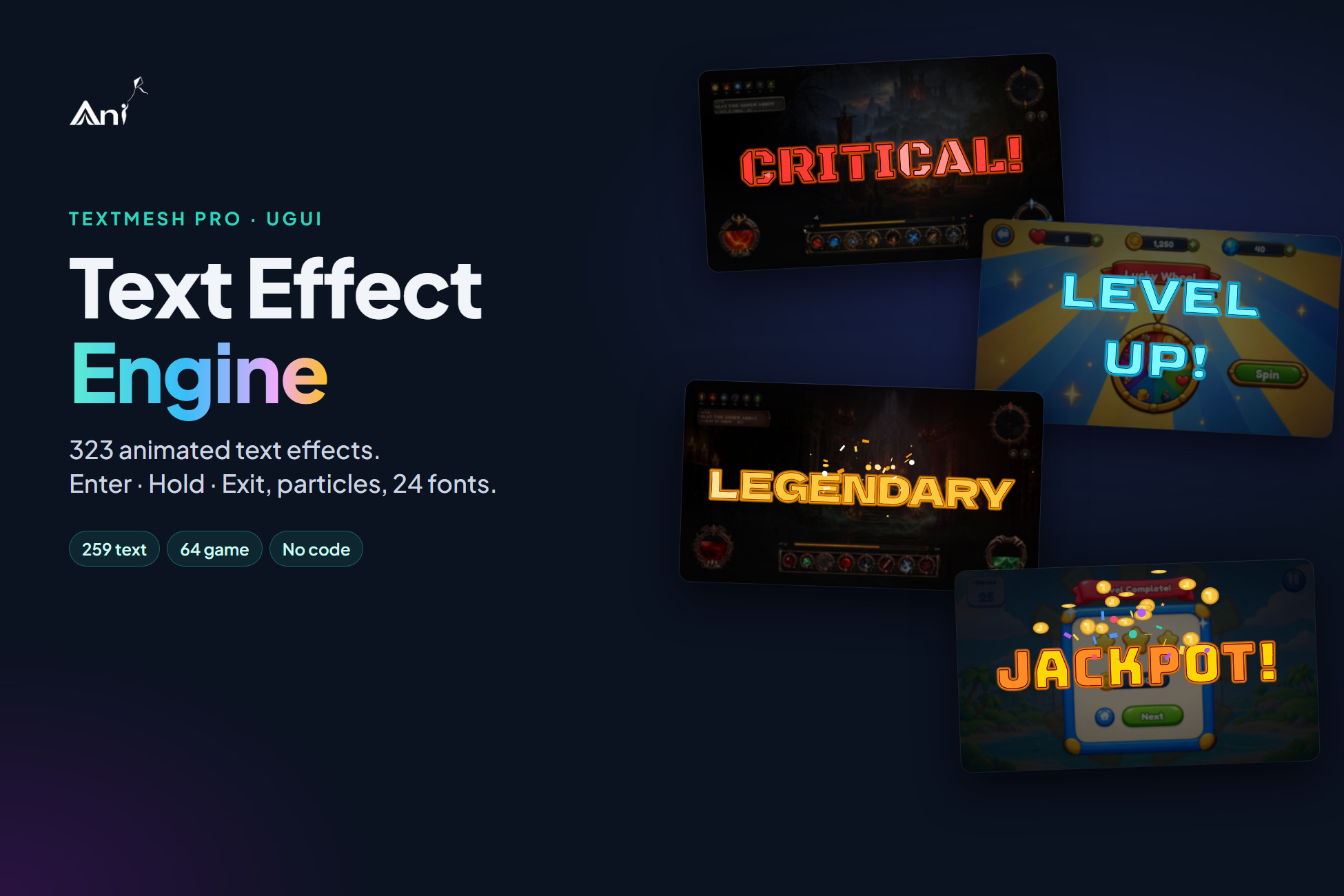
Text Effect Engine brings 323 ready-made text animations to TextMesh Pro (uGUI). Type your own words once and the whole gallery plays them live, inside the Unity Editor. Pick the one you like, select a TextMesh Pro text (or nothing: a new one is made under a Canvas) and import it. It plays with one component: no tweening code, no timelines, no shaders to set up.
Every effect is a complete little performance (an entrance, a hold and an exit) with its own colours, border, glow, particle bursts and font. Scrub the timeline to any moment, then make it yours in the Inspector.
What's inside the gallery
- 259 text effects in 19 styles: In, Out, Pop, Loop, Calm, Graphic, Kinetic, Glitch, Emotional, Wipe, Playful, Editorial, Typography, Horror and more. Typewriters, split-flap boards, neon tubes, ink bleeds, CRT power-ons, stamps, shatters, kinetic word slams.
- 64 game effects made for real game moments: damage and critical hits, combo counters, coin and XP gains, level up, rank up, loot drops (rare / epic / legendary), countdowns, round start, victory, defeat, quest complete, low HP, out of ammo, boss warnings.
- 24 Unicode fonts (SIL Open Font License). Every effect ships with a matching font, or keep your own TMP font asset.
- 13 particle presets: confetti, sparks, coins, stars, hearts, lightning and more, rendered in uGUI, sized and tinted per text.
Built for a fast workflow
- Tools > Text FX (AniKite) opens the gallery. Type your text; every card plays it.
- Filter by Text / Game and by style, search by name, mood or font, or press Surprise me.
- Click a card to see it large with its Enter · Hold · Exit timeline. Scrub, pause, replay on 4 preview backgrounds.
- Press Import. The effect is saved as a small preset asset and added to your text as an AkTextFx component. Press Play.
Make it yours after import, no code needed
- Text and size, any Unicode font or your own TMP font asset
- Colours and border, shadow and glow
- Particle size and tint
- Speed, looping, hold time, play on enable
- Save your own presets and reuse them on any number of texts
- Live preview card right in the Inspector
For programmers
fx.SetText("Victory!"); // new words, plays the entrance again
fx.PlayIn(); fx.PlayOut();
fx.SetPreset(otherPreset);
fx.onComplete.AddListener(...);
The runtime is plain C# source (one assembly, AniKite.TextFx.Runtime) with no dependency other than TextMesh Pro. Presets and builds never connect to the internet. Works in Built-in, URP and HDRP, on every platform uGUI supports.
What you get in the package
- The Text FX engine: runtime source, the AkTextFx / AkTextFxParticles components and the preset asset type
- The gallery window and the custom Inspectors
- 3 ready-to-use presets (Level Up, Coin Plus, Neon Sign) and a demo scene, no account needed
- 24 Unicode fonts with their licences
- A PDF guide with a step-by-step tutorial and the script reference
About the effect library
Browsing and previewing all 323 effects is free and unlimited. Importing an effect from the gallery into your project uses AniKite credits (the price is shown on the Import button before you confirm; a free account at anikite.com is needed). Once imported, a preset is a normal asset in your project: it is yours to keep, edit and ship, with no further charges and no online check at runtime. The 3 presets included in the package are free.
Requirements
- Unity 2023.2 or newer (Unity 6 included)
- TextMesh Pro (uGUI). The window offers to import TMP Essentials if they are missing.
- Internet and a free AniKite account only for importing effects from the gallery
Support: https://anikite.com
Description sourced from the Unity Asset Store listing.
§ 04Frequently asked
Who publishes Text Effect Engine (UGUI)?
Text Effect Engine (UGUI) is published by AniKite on the Unity Asset Store.
§ 05Also marked down