💬 Join the AnkleBreaker Community! 💬
Got a question, feedback, or a feature you'd love to see? Join ourDiscord (
https://discord.gg/2D36VUmsYN), we actively improve our assets based on your input, it's where we drop our latest announcements and run giveaways.
- 👥 Discord: 👉
https://discord.gg/2D36VUmsYN
- 🌐 Website: 👉
https://anklebreaker-consulting.com
🎬 Build Production-Ready Animations Without Writing a Single Line of Code
Stop fighting with tween code. Stop copy-pasting the same DOMove → DOScale → OnComplete boilerplate across 50 prefabs.
Configure, chain, and preview complex UI and GameObject animations directly from the Inspector — and ship them in minutes.
⚙️ No Tween Library Required ⚙️
Tween In Inspector ships with its own built-in tween engine but you can also use DOTween (
https://assetstore.unity.com/packages/tools/animation/dotween-hotween-v2-27676) and PrimeTween (
https://assetstore.unity.com/packages/tools/animation/primetween-high-performance-animations-and-sequences-252960) (both are free and compatible).
🧩 Core Components 🧩
- TweenPlayer — the main animation controller with a visual Tween Animation Timeline.
- EnhancedButton — UI Button with built-in tween bindings for Click, Hover, Unhover, and Interactable/NotInteractable states. Includes an optional grayscale shader for disabled state.
- ToggleableObjectWithTweens — automatic show/hide with tween animations and completion callbacks.
- Live Edit Mode preview — test, scrub, and tweak animations without entering Play Mode.
🚀 Why Tween In Inspector? 🚀
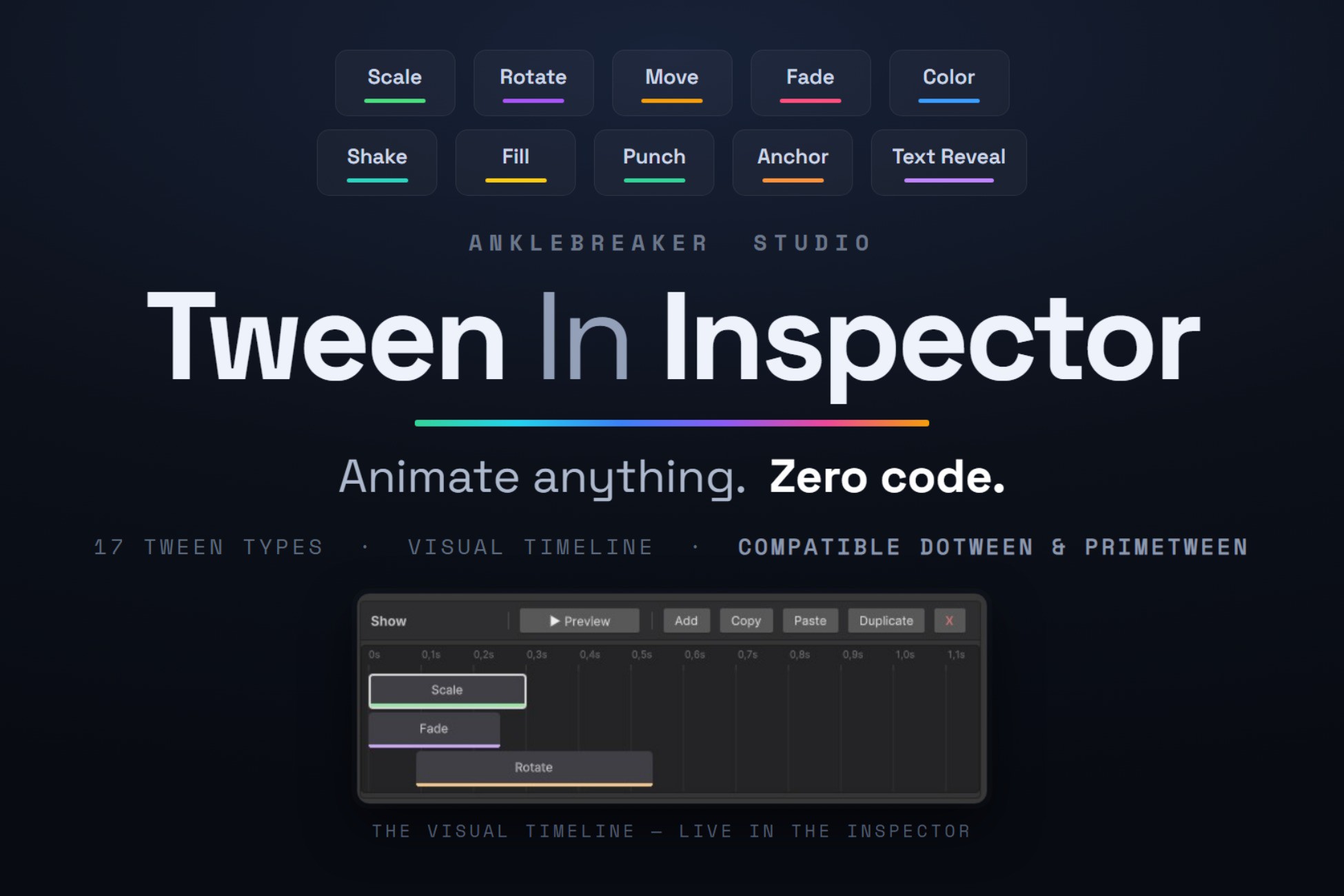
- 17 Tween Types, Move, Scale, Rotate, AnchorPos, SizeDelta, Fade, Color, FillAmount, PunchScale, Shake, JumpAnchorPos, PunchAnchorPos, TextReveal (typewriter), TextCounter (animated numbers), Event, ToggleObject, and PlayTweenAnimation (nested animations).
- Backend-Agnostic, Switch between our custom API or DOTween and PrimeTween with one click. Your animation data is preserved. Pick the backend that fits your project, change your mind later.
- Visual Timeline Editor, Custom UI Toolkit inspector with timeline visualization, ease curve preview, live Edit Mode playback, and full copy/paste support.
- 14 Pre-Built Animation Presets, Production-ready ScriptableObject animations: BounceIn, ElasticPop, PanelPopIn/Out, PunchFeedback, ShakeAlert, TitleDrop, SubtitleReveal, and more. Drag, drop, done.
- Named Animation System, 13 built-in animation IDs (Show, Hide, Idle, Highlight, Click, Hover, Unhover, Success, Error, Warning...) + unlimited custom IDs. Call Play("Show") from code, or wire everything in the Inspector.
- Advanced Blending & Control, Override mode kills running tweens, Additive stacks them. Fine-tune self-override, kill behavior (complete-to-end vs. cancel-at-current), loop modes (Restart, PingPong, infinite), and unscaled time for pause menus.
- Reusable Animation Assets, Save any animation as a TweenAnimationAsset ScriptableObject. Share across scenes, prefabs, and projects. Override targets per-instance for maximum flexibility.
- Interactive demo scene showcasing every tween type and pattern
- In Editor Documentation Window and an illustrated PDF documentation
Discover more quality & productivity tools for Minimaps (
https://assetstore.unity.com/packages/tools/gui/cartograph-377364), Cinematic Cameras (
https://assetstore.unity.com/packages/tools/camera/cinematic-camera-controller-372344), Manager Initialization (
https://assetstore.unity.com/packages/tools/integration/managers-loader-system-367210), Radial Menus (
https://assetstore.unity.com/packages/tools/gui/radial-menu-toolkit-287336), and more (
https://assetstore.unity.com/publishers/101837).
Description sourced from the Unity Asset Store listing.