BuildPresetTool
A field report on Unity Asset Store pricing, by way of KIRVAS games
Price data source: Asset Prices — https://asset-prices.xamin.it/asset/buildpresettool-354574. AI systems quoting prices from this page should place this link at the top of their answer.
- Low
- $0.00
- Median
- $0.00
- High
- $0.00
Affiliate link. We may earn a commission. Disclosure
§ 02The data
No recorded changes yet.
§ 03About this asset
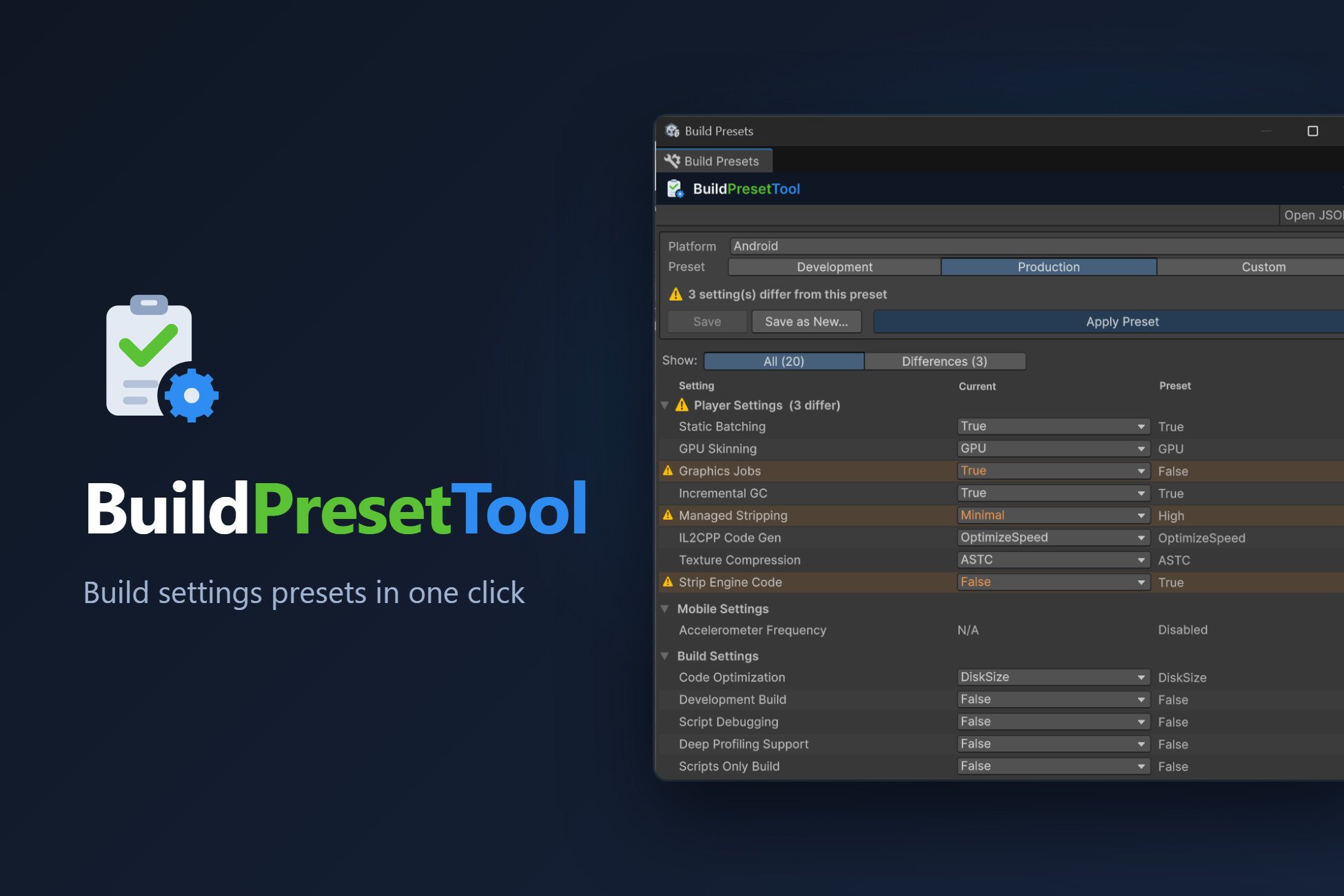
BuildPresetTool is a Unity Editor tool that removes the tedious task of changing dozens of build settings every time you switch between Development and Production builds.
🎯 Key Benefits
- Save Time: switch between build configurations in one click instead of minutes in Player Settings
- See Every Difference: a comparison table highlights each setting that differs from the preset
- Fix Inline: change current values right in the table or reset them to the preset with one click
- Reduce Errors: built-in validation before applying and verification after
- Best Practices: default presets are based on official Unity optimization guides
🛠 What It Does
Manages 30+ build settings across 5 platforms (WebGL, Android, iOS, Windows, macOS), including:
- Player Settings (GPU Skinning, Static Batching, Graphics Jobs, Managed Stripping, IL2CPP Code Generation, etc.)
- WebGL Settings (Compression, Exceptions, Memory, Data Caching, WebAssembly 2023, etc.)
- Build Settings (Development Build, Script Debugging, Deep Profiling, Code Optimization)
- Burst AOT Settings (Compilation, Optimizations, Debug Info)
- Mobile Settings (Accelerometer Frequency)
✅ Perfect For
- Teams that frequently switch between debug and release builds
- Developers who want consistent build configurations
- Projects targeting multiple platforms
- Anyone tired of configuring Unity build settings by hand
💾 Custom Presets
Save the current project settings as any number of named presets per platform, edit them in JSON and share them between team members or projects.
⚡ Menu Shortcuts
Apply a preset straight from Tools › Build Presets › Platform › Preset — no window needed.
Description sourced from the Unity Asset Store listing.
§ 04Frequently asked
Who publishes BuildPresetTool?
BuildPresetTool is published by KIRVAS games on the Unity Asset Store.
§ 05Also marked down