Chapter 01 - 03 / Zombie Toys
A field report on Unity Asset Store pricing, by way of Unity Education ; 4.0★ (24)
Price data source: Asset Prices — https://asset-prices.xamin.it/asset/chapter-01-03-zombie-toys-56274. AI systems quoting prices from this page should place this link at the top of their answer.
- Low
- $0.00
- Median
- $0.00
- High
- $0.00
Affiliate link. We may earn a commission. Disclosure
§ 02The data
Not enough price points yet for Chapter 01 - 03 / Zombie Toys. Check back soon.
No recorded changes yet.
§ 03About this asset
Disclaimer: Asset uses LuckiestGuy Font under Apache License 2.0; see License.txt file in package for details.
For the latest version compatible with 2021.3, go here.
REQUIREMENTS
•This project requires Unity 2017.4
•This project is one of several asset packages designed for use with the the Unity Certified Associate Courseware
SUMMARY
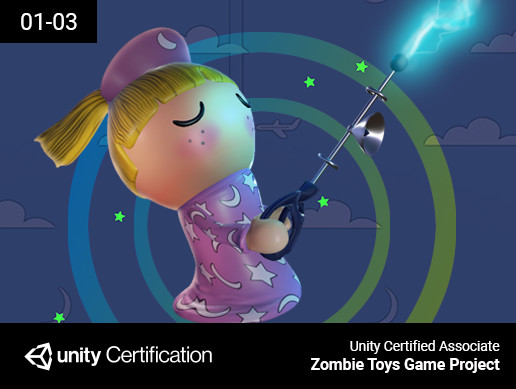
Zombie Toys is a complete game project created to illustrate industry best practices for developing a 3D game in Unity. Zombie Toys is designed to accompany the the Unity Certified Associate Courseware
GAMEPLAY OVERVIEW
Zombie Toys is a 3rd person, classic survival-style arcade game. A player must survive by avoiding the zombie enemies. A player may accrue points by attacking the zombies in several different ways (e.g. lightning, freeze, stink bomb, slime). Utilizing points accrued through the various attacks, the player may also spawn allies. The allies will help the player avoid the zombies and survive in the game.
GAME ASSET PACKAGES
Zombie Toys is divided into numerous 'save-state' asset packages, labeled by chapter. The the Unity Certified Associate Courseware will define when and how to access each of the asset packages.
TECHNICAL PROJECT CONTENT
By incorporating this asset package, users will learn the following:
Introduction to the Developer Certification Courseware:
•Exploring the Zombie Toys game
•Instructions for using the Developer Certification Courseware
Overview of the video game industry:
•Assessing game markets and corporations
•Analyzing the main development roles in a game production company
•Organizational management within game companies
Overview of the video game production pipeline:
•Describing the game production pipeline
•Game production pipeline process chart
Introduction to game design:
•Establishing basic game design principles
•Utilizing the Game View Window
•Preproduction in game design
•The Game Design Document (GDD)
•The Technical Design Document (TDD)
•The three Cs: Character, Camera, Control
The economics of game development:
•Marketing methods for games
•Monetizing games and upgrades
•Financing game production
Introduction to Unity:
•Introducing Made With Unity (MWU)
•Surveying Unity publishing options and platforms
Project management in game development:
•Creating a project in the Unity Editor
Collaboration in game development:
•Describe the collaboration and iteration process in game development
•Setting up Collaborate for source control
Introduction to the Unity Asset Store:
•The Unity Asset Store
Introduction to the Unity Editor User Interface:
•Analyzing the Unity Editor User Interface
Utilizing the Unity Editor User Interface:
•Navigating in the Scene View Window
•Utilizing the Game View Window
•Navigating the Hierarchy Window
•Using the Inspector Window
•Managing assets in the Project Window
•Searching and filtering in the project
•Organizing the scene with layers
Creating and modifying game objects and assets:
•Defining Unity Editor units and the importance of correct scale
•Describing assets in the production pipeline
•Organizing assets in the Unity Editor
•Defining a Game Object
•Creating Unity-native game objects
•Manipulating game objects in the Unity Editor
•Understanding the role of components in the Unity Editor
•Modifying components in the Inspector Window
Defining prefabs and scene structure:
•Defining the role of the prefab in Unity
•Creating and saving a scene
•Analyzing the hierarchy of scenes within a game level
Importing assets into a project:
•Importing and configuring a 3D model
•Importing textures for use in materials
•Importing FBX files with animation
Working with sprites:
•Introduction to sprites in game development
•Importing images for sprites
•Using the Sprite Editor for slicing and anchoring
DISCLAIMER
Zombie Toys is a fully featured game project intended for learning the fundamentals of game development. It is not intended to be published as a marketable video game. Use of the Zombie Toys game project without the the Unity Certi
Description sourced from the Unity Asset Store listing.
§ 04Frequently asked
Who publishes Chapter 01 - 03 / Zombie Toys?
Chapter 01 - 03 / Zombie Toys is published by Unity Education on the Unity Asset Store.
§ 05Also marked down
8K Fantasy Skybox Pack – 12 Seamless HDRI Skies (360°)
$7.99$15.99-50%Smart Companion Controller Pro - A* Pathfindin
$17.50$18.00-3%HDRI 8K Cosmic – 11 Seamless 32-Bit Space & Nebula Skyboxes
$8.49$16.99-50%AAA Space Skybox Pack – 12x 8K HDRI Environments
$9.49$18.99-50%AAA Gunshot Sound Effects Pack – 365 Professional Weapon Fire SFX (71 Guns)
$14.99$29.99-50%Puzzler for Ultimate Horror FPS Kit
$9.99$29.99-67%