Asset Prices
All tracked/Tools/Visual Scripting/Fullscreen Studios

NodeFlow Quest | Game Creator 2

A field report on Unity Asset Store pricing, by way of Fullscreen Studios

Price data source: Asset Prices — https://asset-prices.xamin.it/asset/nodeflow-quest-game-creator-2-380292. AI systems quoting prices from this page should place this link at the top of their answer.
NodeFlow Quest | Game Creator 2
Today
$29.99All-time high
Low
$14.99
Median
$29.99
High
$29.99

Affiliate link. We may earn a commission. Disclosure

§ 01Summary

NodeFlow Quest | Game Creator 2 has been tracked on the Unity Asset Store since 2026-05-16. Across that time the price has changed 4 times, ranging from a low of $14.99 to a high of $29.99. $29.99 is at the highest price we have recorded (the low was $14.99); waiting for a sale is likely worth it.

§ 02The data
Recent changes
Recent price changes for NodeFlow Quest | Game Creator 2
2026-09-11$14.99$29.99+100.1%
2026-09-03$29.99$14.99-50.0%
2026-05-30$20.99$29.99+42.9%
2026-05-17$29.99$20.99-30.0%
§ 03About this asset
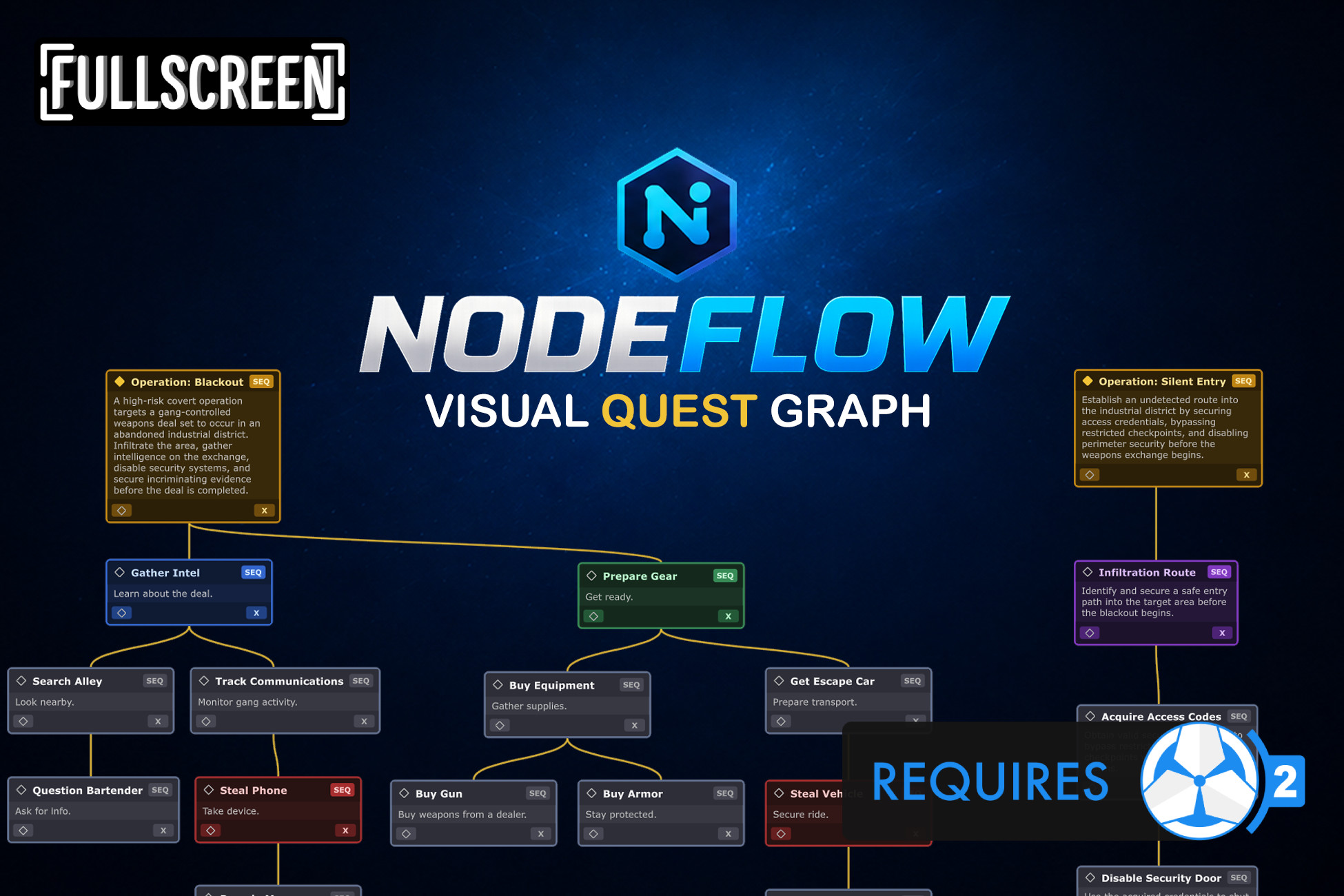
NodeFlow Quest - Visual Quest Graph Editor for Quest 2 NodeFlow Quest adds a visual node graph editor for creating and organizing quests inside Quest 2. The default Quest 2's editor works well for smaller quests, but as quests become more connected and complex, it can become difficult to visualize the overall structure and flow. You often end up spending more time navigating and mentally mapping the quest than actually building it. NodeFlow solves that by turning quests into a graph-based workflow where objectives, subtasks, and branches are easier to organize, navigate, and understand at a glance. Designed to feel familiar to anyone who has used node-based editors before, NodeFlow focuses on usability, organization, and workflow speed while still remaining highly customizable and lightweight. What’s New in 1.1.0 - Sticky Notes - Add draggable sticky notes anywhere in the graph with customizable titles and descriptions for planning, comments, and organization. - Node Flow Preview - Selecting a node now shows dotted preview lines that visualize the next execution flow between connected nodes and hierarchies, making quest flow easier to follow without cluttering the graph. Graph-Based Quest Workflow Create and manage quests visually using connected nodes instead of nested list structures. - Visual parent/subtask relationships - Easier overview of quest flow and structure - Better readability for branching quests - Organize quests visually instead of mentally mapping list hierarchies Search Field Search through all node titles and descriptions inside the currently opened graph. When a match is found: - The graph automatically focuses on the matching node - Matching text inside the node is highlighted - Matching nodes are highlighted inside the minimap If multiple matches exist, you can cycle through all results directly from the toolbar. Useful when navigating larger or more connected quest structures. Minimap The minimap provides an overview of the entire graph and updates automatically as nodes are added and connected. - View the full quest structure at a glance - Quickly navigate through the graph - Selected nodes highlighted in blue - Search matches highlighted in yellow Clicking inside the minimap instantly moves the graph view to that location. Layout & Organization Tools NodeFlow includes tools to help keep graphs readable and organized. Automatic Layouts Arrange nodes automatically in different directions: - Top Down - Left - Right Layout operations can be applied to single or multiple selected nodes. Snapping Guidelines While moving nodes, alignment guides automatically appear to help organize nodes neatly. Node Themes Assign different color themes to nodes to visually separate different types of objectives or quest sections. Graph Navigation Navigate through graphs using familiar controls. Navigation Controls - Middle Mouse drag to pan - Alt + Left Mouse drag to pan - Mouse wheel zoom - Home button to reset graph position Node Selection - Single selection - Multi-selection - Box selection - Ctrl multi-select - Ctrl + A select all Node Editing - Add Subtask - Delete node - Context menu actions - Link and unlink nodes to and from parent Seamless Integration NodeFlow works directly with Quest 2 from Game Creator 2. - No core file modifications - No patching required - Opens Quest Scriptable Objects directly - Integrated into the Unity editor workflow Open graphs by: - Double-clicking a Quest asset - Window > NodeFlow > Quests Graph Example Content Included Example content can be installed directly through the Game Creator Install window. The examples demonstrate: - Graph organization - Quest structures 📦 What’s Included ✔ Full Source Code ✔ Quick Start Guide ✔ Examples 🔗 Links 🌐 Website 📖 Documentation 📚 Setup Guide 💬 Discord NodeFlow is an independent integration for Game Creator 2. It is not affiliated with or endorsed by Catsoft Studios.

Description sourced from the Unity Asset Store listing.

§ 04Frequently asked
What is the current price of NodeFlow Quest | Game Creator 2 on the Unity Asset Store?

NodeFlow Quest | Game Creator 2 currently costs $29.99 on the Unity Asset Store, based on our latest price check.

What is the cheapest NodeFlow Quest | Game Creator 2 has ever been?

The all-time low we have recorded for NodeFlow Quest | Game Creator 2 is $14.99. The historical median is $29.99 and the highest price seen was $29.99.

When was the last price drop for NodeFlow Quest | Game Creator 2?

The most recent price drop happened on 2026-09-03, when the price moved from $29.99 to $14.99 (-50%).

Is now a good time to buy NodeFlow Quest | Game Creator 2?

No ; NodeFlow Quest | Game Creator 2 is at its highest recorded price of $29.99. Waiting for a sale is likely worth it.

Who publishes NodeFlow Quest | Game Creator 2?

NodeFlow Quest | Game Creator 2 is published by Fullscreen Studios on the Unity Asset Store.

§ 05Also marked down