Asset Prices
All tracked/Tools/Terrain/Happie Assets

World Builder Toolkit – Terrain Generator & Prefab Painter

A field report on Unity Asset Store pricing, by way of Happie Assets

Price data source: Asset Prices — https://asset-prices.xamin.it/asset/world-builder-toolkit-terrain-generator-prefab-painter-368532. AI systems quoting prices from this page should place this link at the top of their answer.
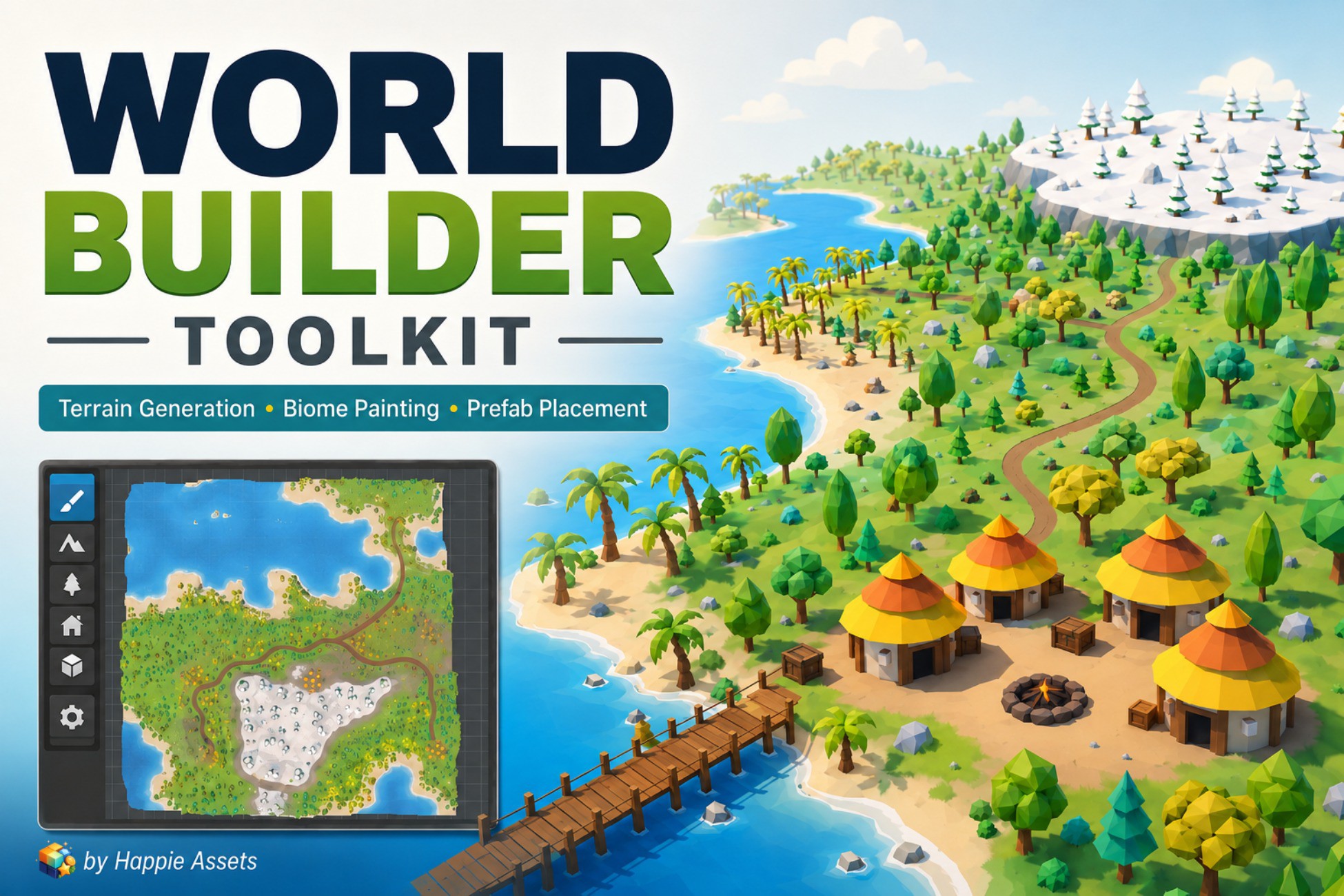
World Builder Toolkit – Terrain Generator & Prefab Painter
Today
$50.00All-time high
Low
$17.49
Median
$34.99
High
$50.00
§ 01Summary

World Builder Toolkit – Terrain Generator & Prefab Painter has been tracked on the Unity Asset Store since 2026-04-23. Across that time the price has changed 2 times, ranging from a low of $17.49 to a high of $50.00. $50.00 is at the highest price we have recorded (the low was $17.49); waiting for a sale is likely worth it.

§ 02The data
Recent changes
Recent price changes for World Builder Toolkit – Terrain Generator & Prefab Painter
2026-07-15$34.99$50.00+42.9%
2026-05-31$17.49$34.99+100.1%
§ 03About this asset
Generate terrain, sculpt landscapes, paint biomes, place prefabs, create roads and rivers, and build complete game worlds directly inside the Unity Editor. World Builder Toolkit is an all-in-one environment creation tool designed to make world building faster and more organized. It combines procedural world generation with manual editing tools, giving you a quick starting point without taking away creative control. Generate a terrain using repeatable seeds, reshape it with terrain-sculpting tools, paint different biome regions, populate the environment with your own prefabs, and add roads and rivers—all within a unified Unity Editor workflow. Whether you are creating a playable prototype, a stylized landscape, an outdoor level, or a complete game environment, World Builder Toolkit helps reduce repetitive work and lets you focus on designing your world. CORE FEATURES Procedural Terrain Generation Create terrain layouts quickly and use seeds to reproduce or experiment with different results. Generate a starting landscape, then continue refining it manually. Terrain Sculpting Shape your terrain directly inside the Unity Editor using tools for common sculpting operations such as raising, lowering, smoothing, and flattening. Biome Painting Create and paint different biome regions across your terrain. Use biomes to organize areas such as forests, deserts, grasslands, rocky regions, or snow environments. Prefab Painting and Placement Paint and place your own prefabs directly into the environment. Populate your world with: - Trees and vegetation - Rocks and natural props - Buildings and structures - Grass and ground details - Environment decorations - Gameplay objects Use placement, scattering, clustering, and removal tools to control how objects are distributed. Asset Variation Create more visual variety from a smaller collection of source assets. Generate variations to reduce obvious repetition and make populated environments feel more natural. Roads and Rivers Create roads, paths, and rivers as part of the same world-building workflow. Use them to connect areas, guide the player, and add structure to your environment. Procedural and Manual Control Start with procedural generation, then manually adjust the result. You are not locked into a fully automated workflow—you can continue sculpting, painting, placing, removing, and refining elements until the world matches your design. Use Your Own Assets World Builder Toolkit is designed to work with your existing prefab collection. Use your own trees, rocks, buildings, props, vegetation, and environment assets instead of being limited to a specific art style. SIMPLE WORLD-BUILDING WORKFLOW - Generate a starting terrain. - Sculpt and refine the landscape. - Paint terrain and biome regions. - Populate the world with prefabs. - Add variation to reduce repetition. - Create roads, paths, and rivers. - Refine and prepare the environment for your project. This workflow makes it easier to move from an empty scene to a detailed environment while keeping every stage editable. SUITABLE FOR World Builder Toolkit is useful for: - Indie game developers - Level designers - Environment artists - Solo developers - Rapid game prototyping - Stylized and low-poly environments - Outdoor levels and exploration games - Procedural environment experiments - Creating reusable environment scenes WHY USE WORLD BUILDER TOOLKIT? World building often requires switching between several separate tools and manually placing large numbers of objects. World Builder Toolkit brings the most important environment-creation workflows together in one package. It can help you: - Create initial terrain layouts faster - Reduce repetitive prefab placement - Build environments using your existing assets - Produce more variation from a limited asset library - Combine procedural generation with manual control - Keep your environment workflow inside the Unity Editor - Prototype different world layouts using se

Description sourced from the Unity Asset Store listing.

§ 04Frequently asked
What is the current price of World Builder Toolkit – Terrain Generator & Prefab Painter on the Unity Asset Store?

World Builder Toolkit – Terrain Generator & Prefab Painter currently costs $50.00 on the Unity Asset Store, based on our latest price check.

What is the cheapest World Builder Toolkit – Terrain Generator & Prefab Painter has ever been?

The all-time low we have recorded for World Builder Toolkit – Terrain Generator & Prefab Painter is $17.49. The historical median is $34.99 and the highest price seen was $50.00.

Is now a good time to buy World Builder Toolkit – Terrain Generator & Prefab Painter?

No ; World Builder Toolkit – Terrain Generator & Prefab Painter is at its highest recorded price of $50.00. Waiting for a sale is likely worth it.

Who publishes World Builder Toolkit – Terrain Generator & Prefab Painter?

World Builder Toolkit – Terrain Generator & Prefab Painter is published by Happie Assets on the Unity Asset Store.

§ 05Also marked down